ICP Dashboardto prepare
Automate FAR-compliant incurred cost proposals with built-in DCAA adequacy review, unallowable cost detection, and what-if scenario modeling. Get real-time insights, ensure compliance, and submit with confidence.
Included with GovConDash Pro and Max
Look up your federal contracts to determine if you need to file an Incurred Cost Proposal under FAR 52.216-7.
Everything your ICP needs.
Nothing it doesn't.
Automatic Schedule Generation
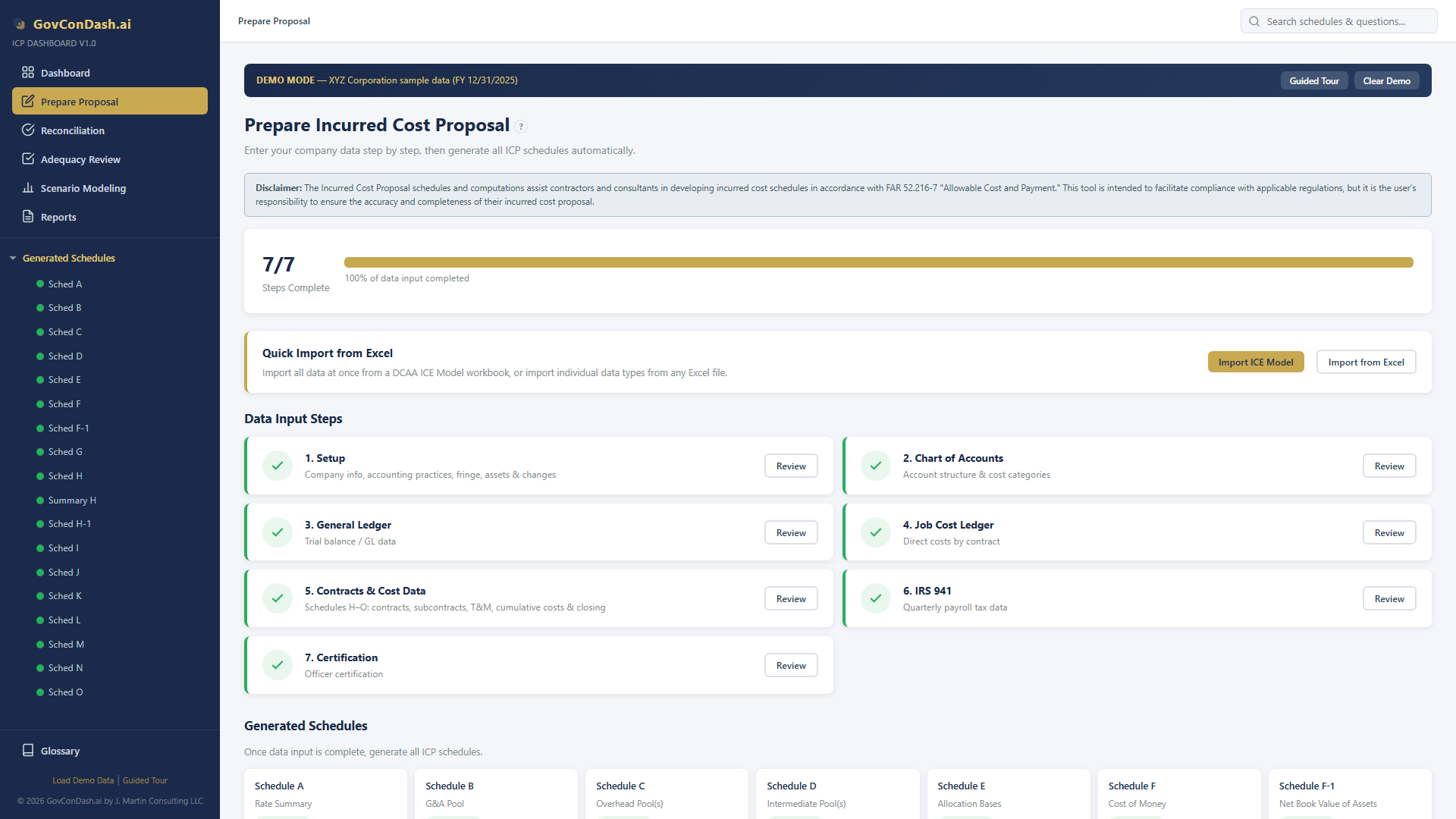
Enter your data once and the dashboard computes all ICP schedules (A through O) automatically via an 18-step computation pipeline. 4-decimal rates, 5-decimal COM factors, whole-dollar amounts.
DCAA Adequacy Review
Complete 47-question DCAA Adequacy Checklist (v3.4) integrated with progress tracking, auto-population from generated data, risk scoring, and exportable Excel reports.
Smart Validation Engine
Automated detection of FAR 31.205 unallowable costs, math consistency checks across schedules, completeness audits, and negative balance flagging — all before submission.
Scenario Modeling & What-If
CAS 410 base analysis (TCI, Value Added, Single Element), target rate calculators, impact analysis with cascading G&A effects, and side-by-side scenario comparison.
Excel Import / Export
Full ICP Model auto-import from .xlsm files. A ledger export with a header row uploads as exported, and the column layout is remembered. Multi-sheet Excel export with number formatting, cross-sheet formula references, and named ranges.
Cross-Schedule Reconciliation
Real-time validation across all schedules mirroring DCAA audit procedures. Schedule G reconciliation, labor/IRS 941 matching, and data completeness checks.
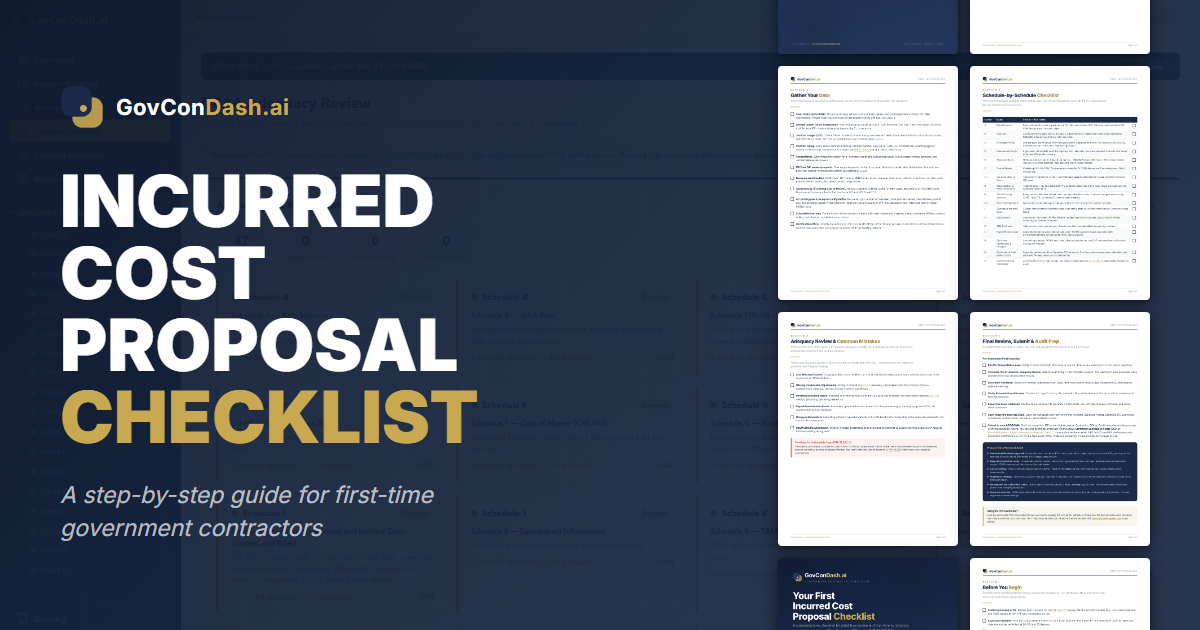
Your First Incurred Cost Proposal Checklist
A free 6-page printable checklist covering everything first-time contractors need to prepare and submit an ICP under FAR 52.216-7.
- 5 sections — from pre-work to submission & audit prep
- Interactive checkboxes — print or fill digitally
- Schedule-by-schedule review table (A through O)
- Common DCAA audit mistakes to avoid
Guided data entry.
One-click generation.
See it
in action.
A full walkthrough of the incurred cost proposal preparation dashboard — from setup to final audit package export.
Complete ICP
schedule suite.
15+ ICP schedules computed automatically with precise formula rules — 4 decimal places for rates, 5 for COM factors, whole dollars for amounts.
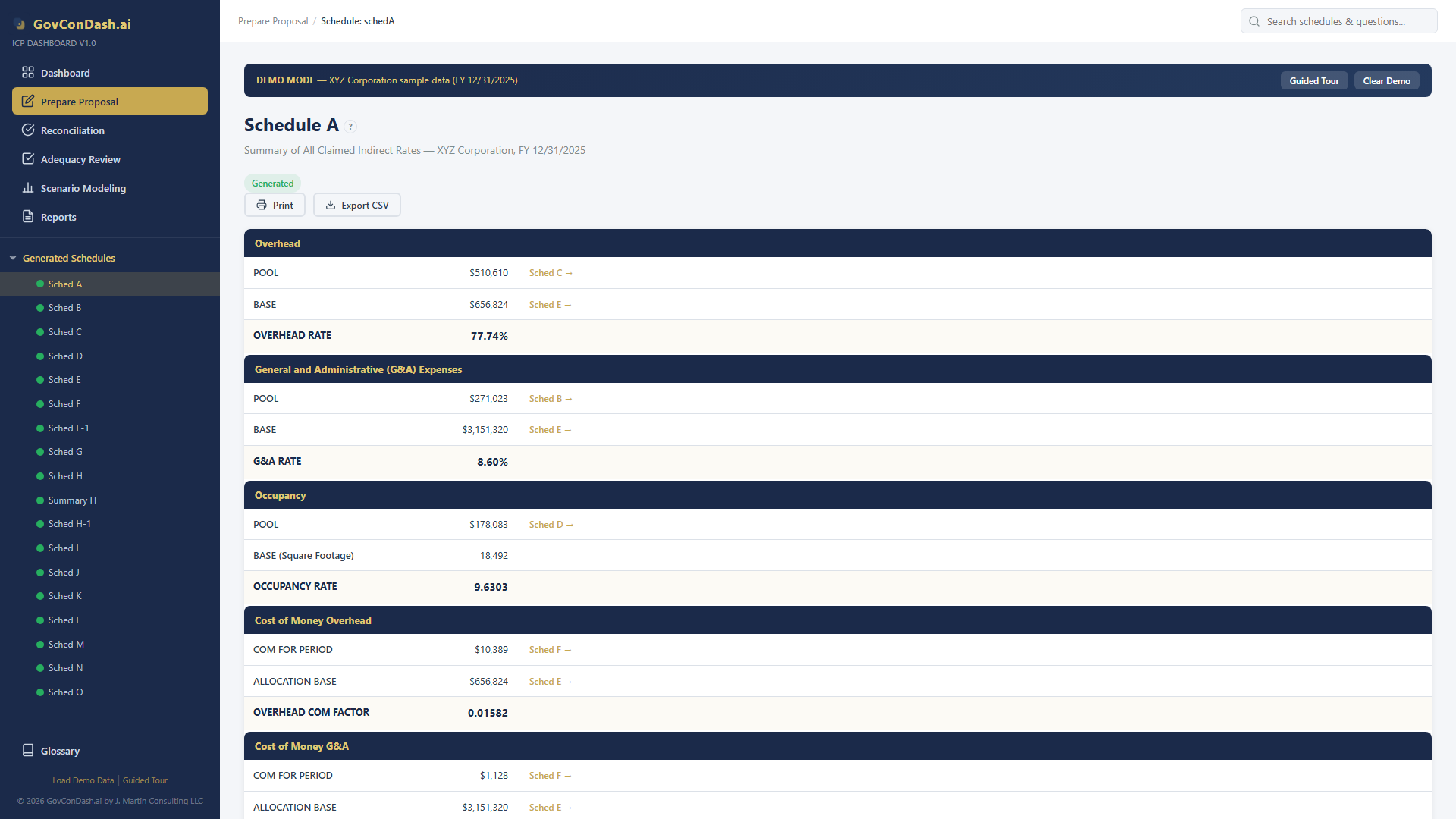
Schedule A
Rate Summary — Master indirect rates
Compliance you
can count on.
Built on the regulations
that matter.
Every FAR clause, CAS standard, and DCAA requirement — built directly into the computation engine.
Computed in your browser.
Saved to your account.
The schedules are still calculated on your machine. A saved proposal is kept in your GovConDash account, so it is there when you sign in from another computer and ready to roll forward next year. A local draft never leaves your browser.
Computed in your browser
Every schedule, rate and validation is calculated on your machine. The server stores a saved proposal. It does not compute it.
Saved to your account, or kept local
A saved proposal lives in your account with its version history, and only the account that owns it can open it. Work in a local draft and the proposal stays in your browser.
Entitlement-gated delivery
The application is served from your signed-in GovConDash session, and the plan entitlement is re-checked on every file it loads. Nothing about it is reachable without an account.
See it in action.
Hands on.
The built-in XYZ Corporation demo provides a complete, pre-populated environment with all schedules generated and 47 adequacy assessments completed.
Built-in demo data
XYZ Corporation with all schedules pre-generated.
No installation
Runs in any modern browser — Chrome, Edge, Firefox, Safari.
Computes offline
Sign in once to load it; every calculation then runs locally with no further network calls.
Excel compatible
Import from .xlsm, export multi-sheet .xlsx workbooks.
XYZ Corporation — FY 12/31/202559 Chart of Accounts entries151 General Ledger entries8 Contracts (CPFF, T&M, FFP, Commercial)47 Adequacy assessments completed5 Pre-built scenariosOH Rate: 77.74% (claimed)G&A Rate: 8.60%Occupancy: 9.6303
One subscription.
Every schedule.
The ICP Dashboard is part of GovConDash.ai and is included with the Pro and Max plans. No per-schedule charges, no per-submission fees, no separate license to buy.
Free
The research library. Not a way to prepare a proposal.
- FAR Clause Library and eCFR regulation search
- ASBCA, GAO, COFC, CBCA and SBA decision browsers
- Federal contract data from USAspending.gov
- eCFR Research Agent, 1 run per week
- Community support
Pro
Everything you need to prepare and submit an incurred cost proposal.
- Everything in Free
- ICP Dashboard: 7-step wizard and Schedules A through O
- Proposals saved to your account for every company and fiscal year, with version history
- Roll last year's proposal forward to the new year
- 47-question DCAA Adequacy Checklist (v3.4)
- Smart Validation and FAR 31.205 unallowable cost detection
- CAS 410 scenario modeling and what-if analysis
- Incurred Cost Research Agent (CAM chapter 6, audit program, decisions)
- 100 AI agent runs per month across all agents and workflows
- Word and Excel exports, Workspace, and the AI Audit Trail
- Priority support
Max
For consultants and teams preparing proposals for several entities.
- Everything in Pro
- 250 AI agent runs per month, 2.5x the Pro quota
- Headroom for daily research across a client portfolio
- Early access to new features as they ship
- Priority support
Prices are billed monthly and cancellable at any time. Compare every feature on GovConDash.ai
Common
questions.
Everything you need to know about incurred cost proposals and how GovConDash.ai simplifies the process.
An Incurred Cost Proposal (ICP) is an annual submission required under FAR 52.216-7 for contractors with flexibly priced government contracts. It reports actual costs incurred and supports the establishment and negotiation of final indirect cost rates, which may be reviewed or audited by DCAA or the cognizant agency.
An Incurred Cost Proposal includes a standardized set of schedules (typically A through O) that detail indirect cost pools, allocation bases, contract-level costs, and reconciliations to the general ledger. The exact schedules required depend on the contractor's cost structure, indirect rate design, and contract portfolio, but all submissions must support the establishment of final indirect rates and comply with FAR 52.216-7.
Per FAR 52.216-7, contractors must submit their Incurred Cost Proposal within 6 months after the end of their fiscal year. For contractors with a December 31 fiscal year-end, the ICP is due by June 30 of the following year.
The DCAA Adequacy Checklist (v3.4) contains 47 questions that DCAA auditors use to determine if an ICP submission is adequate for audit. GovConDash.ai integrates the full checklist with auto-population from generated data, progress tracking, and risk scoring — so you can self-assess before submission.
Enter your general ledger, chart of accounts, and contract data once. GovConDash.ai uses an 18-step computation pipeline to automatically generate all ICP schedules — computing indirect rates to 4 decimal places, COM factors to 5 decimal places, and reconciling across all schedules. What used to take weeks of spreadsheet work now takes minutes.
The proposal is prepared inside the GovConDash.ai dashboard, under the ICP Dashboard tab. Preparing and saving a proposal (the 7-step workspace, the generated schedules, the adequacy checklist, roll-forward, and scenario modeling) is included with the Pro plan at $99 per month and the Max plan at $199 per month. It is not part of the free plan. Create an account to get started.
It is now built into the GovConDash.ai dashboard. A proposal is prepared in the ICP Dashboard tab, saved to your account, and rolled forward each year, alongside your contract portfolio, the FAR and DCAA reference material, and the Incurred Cost Research Agent. A proposal still saved in your old browser profile appears on the ICP Dashboard as a local draft, with a button that saves it to your account.
CAS 410 governs the selection of allocation bases for indirect cost pools (TCI, Value Added, or Single Element). GovConDash.ai lets you model different base selections side-by-side, run target rate calculators, and see cascading G&A effects — helping you choose the most defensible and competitive allocation base.
The schedules are computed in your browser. A saved proposal is stored in your GovConDash account so you can reopen it on any machine and roll it forward next year, and only the account that owns it can open it. Deleting your account deletes your proposals. If you would rather keep a proposal off the server, work in a local draft and it stays in your browser.
Yes. Rolling a saved proposal forward starts the new year with your company setup, indirect rate structure, chart of accounts and its cost pool mapping, contracts and subcontracts in place. Last year's claimed costs move into the unsettled prior year column of Schedule I, and last year's accrued wages become the prior year accrual on Schedule L. The ledgers, payroll figures, billings and certification start empty for the new year, and the tool lists what it carried and what you still need to enter.
Yes. Each proposal is saved under its company and fiscal year, so a consultant can keep one for every client and every year and open any of them from the ICP Dashboard. Pro and Max both include it.
Yes. ICP Dashboard supports full auto-import from DCAA ICE Model .xlsm files. You can also import individual data types from any Excel file. Export generates multi-sheet Excel workbooks with number formatting, cross-sheet formula references, and named ranges.
We recommend starting with the ICP Dashboard User Manual, which walks you through the complete workflow — from initial data entry and chart of accounts setup through schedule generation, adequacy review, and Excel export. The manual covers every feature in detail, including importing from existing ICE Model files, configuring indirect rate structures, and running scenario analysis.
Consulting services for government contractors
Work directly with our team on ICP preparation, DCAA audit support, and compliance engagements. Request services below and we'll be in touch.
Ready to simplify
your ICP?
The ICP Dashboard gives your finance team the tools to prepare FAR-compliant incurred cost proposals with confidence. It lives in the GovConDash app, under the ICP Dashboard tab, on the Pro and Max plans.
GovConDash Pro, $99 / month · Max, $199 / month
Request Services
Tell us what you need help with and we'll be in touch.