Model cost movements between OH, G&A, and intermediate pools to see rate impacts before submitting your proposal. Understand exactly how reclassifications affect your claimed rates.
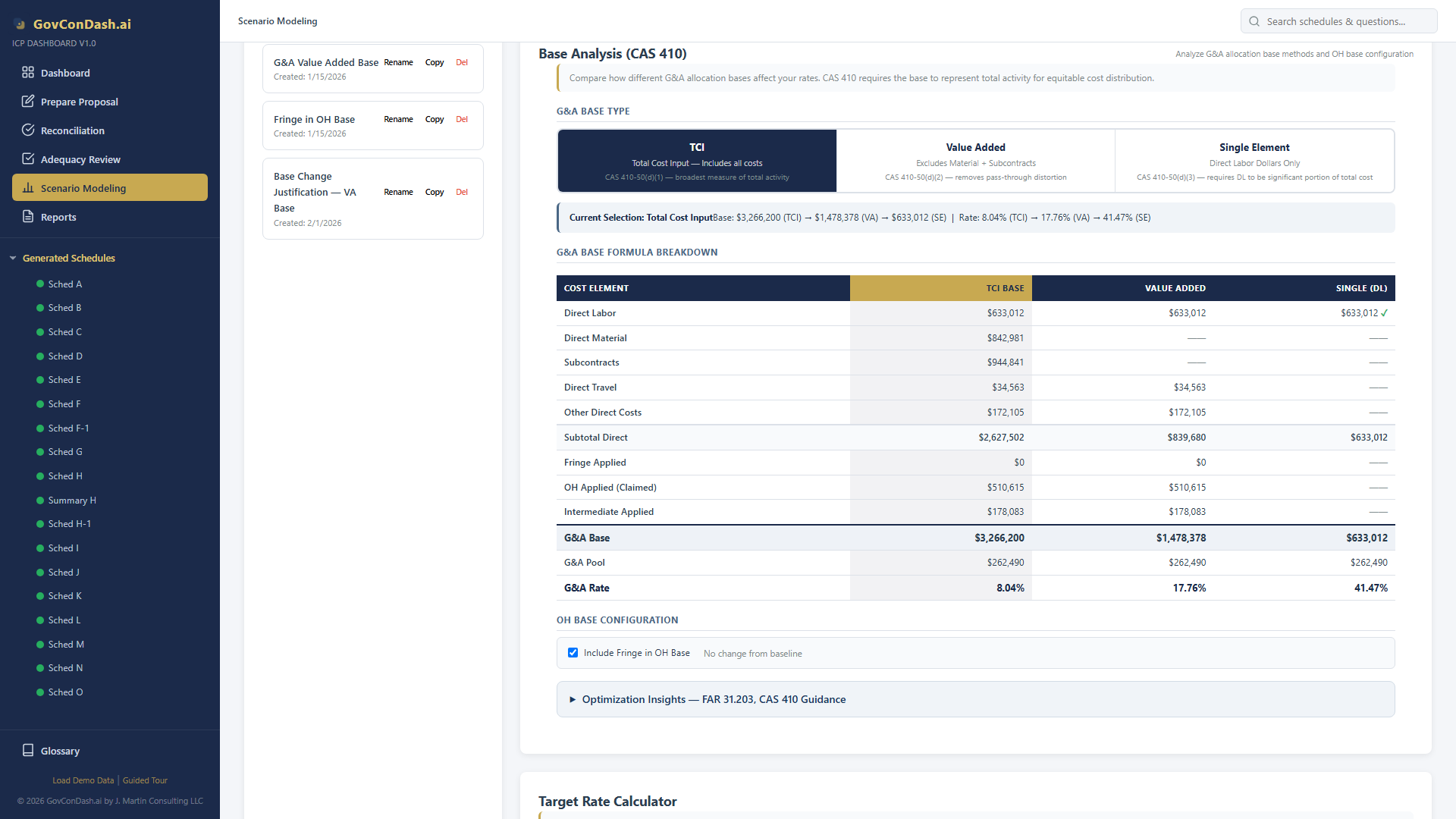
Compare Total Cost Input (TCI), Value Added, and Single Element (Direct Labor) allocation bases with built-in CAS 410 compliance indicators and distortion warnings.
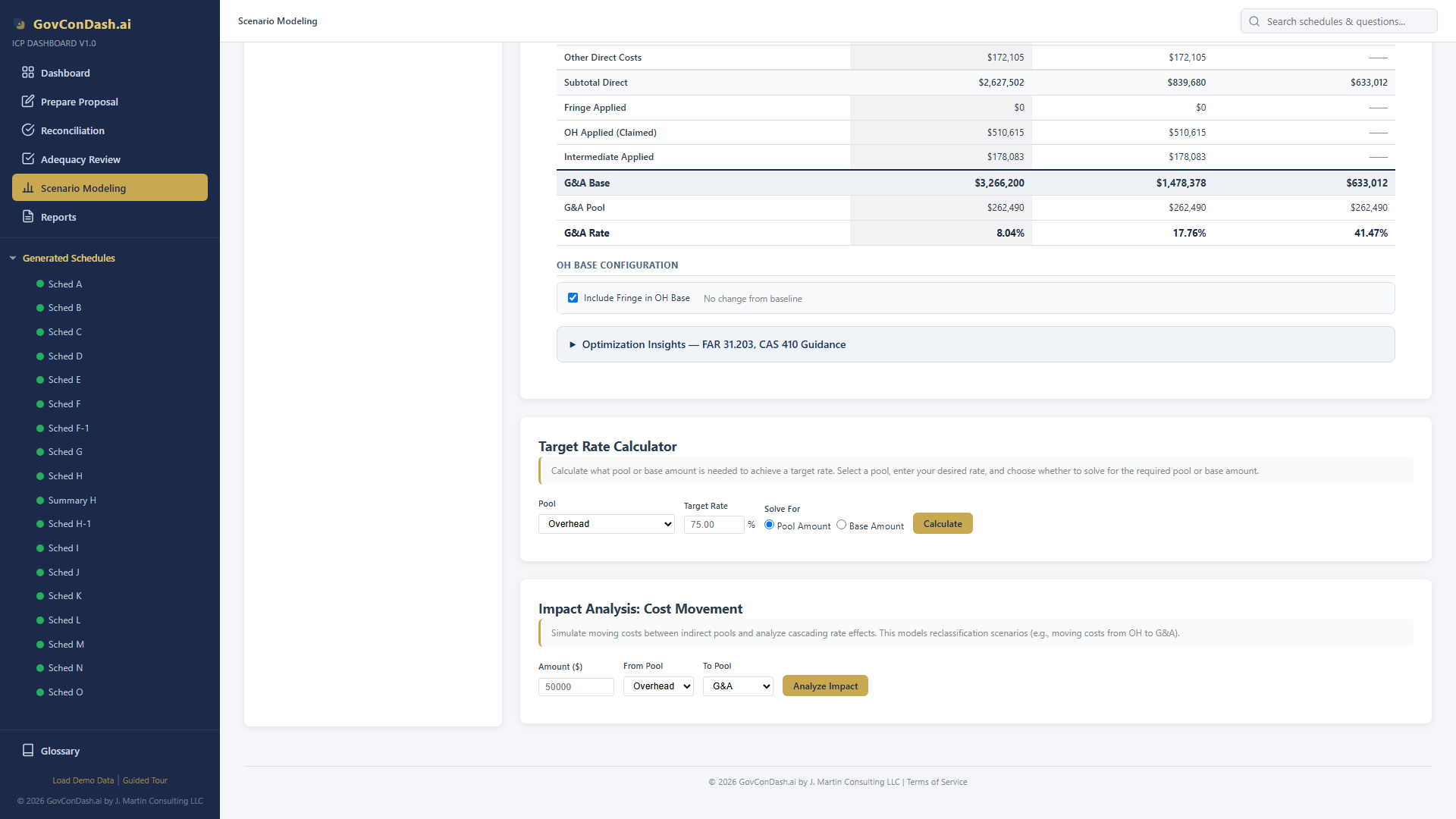
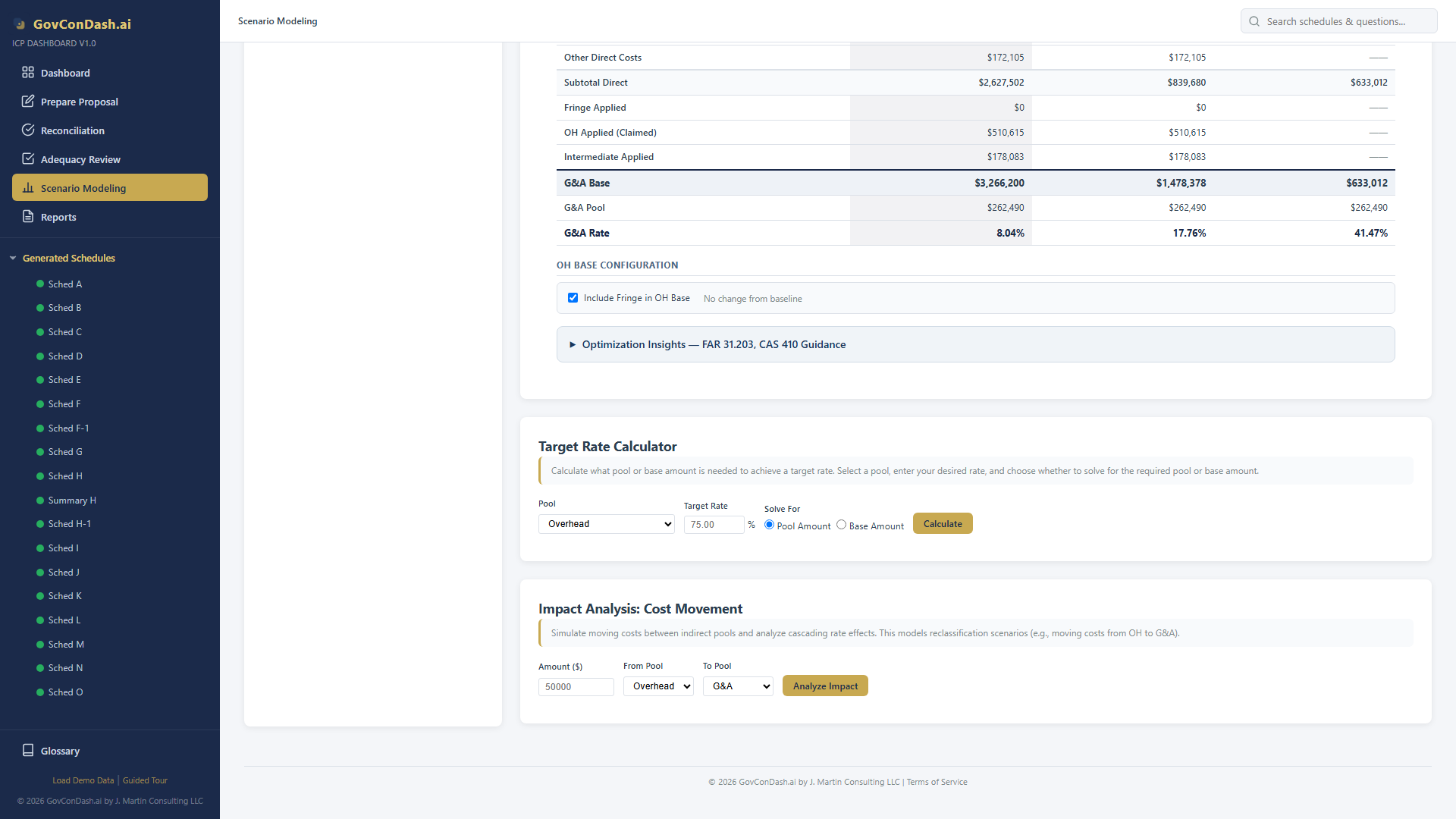
Set your desired rate and the tool reverse-solves for the exact pool or base amount required. Know precisely what dollar adjustment achieves your target overhead or G&A rate.
Simulate moving costs between pools and see cascading effects on the G&A base and all downstream rates. The tool respects base type when computing G&A impacts.
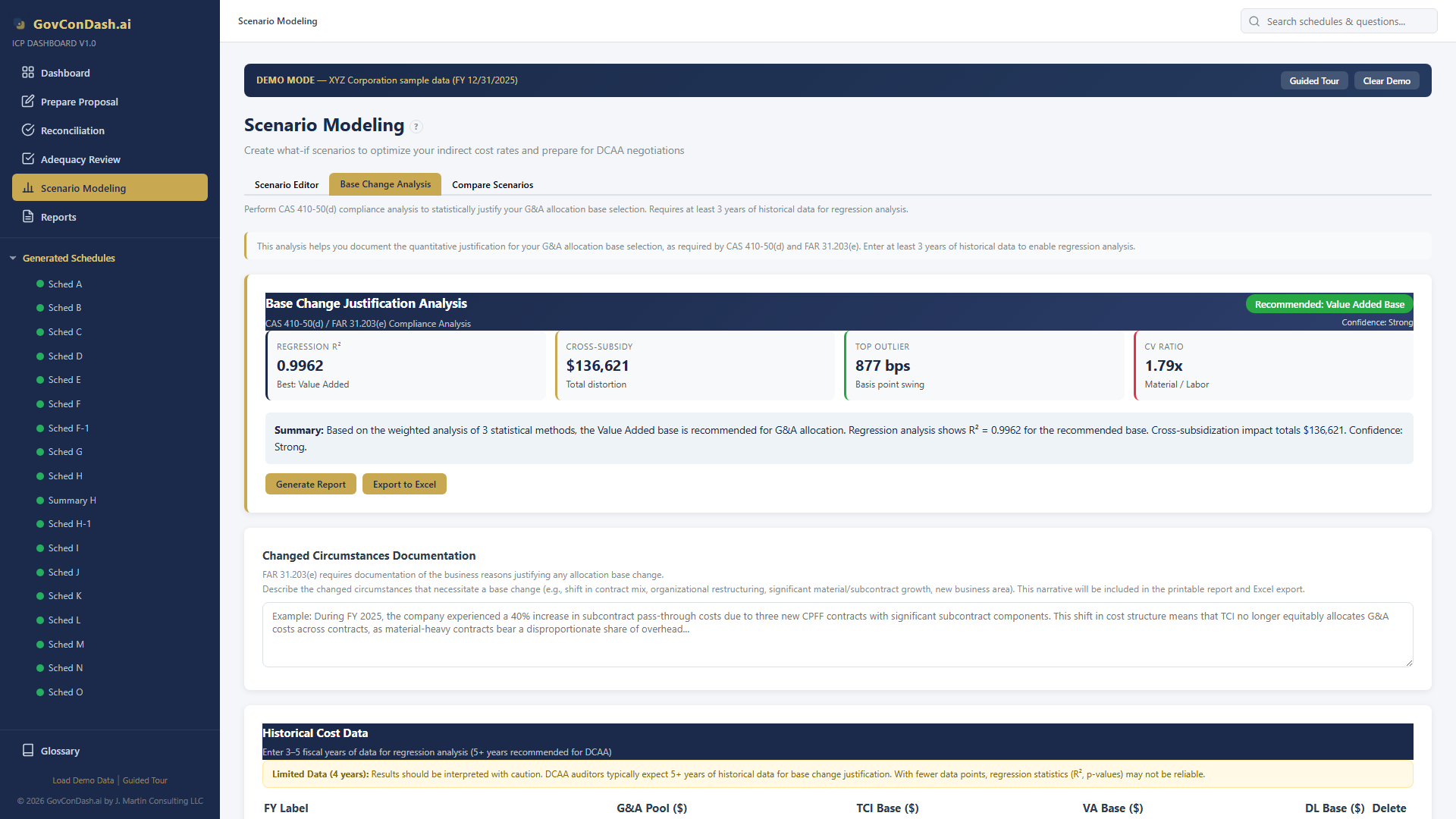
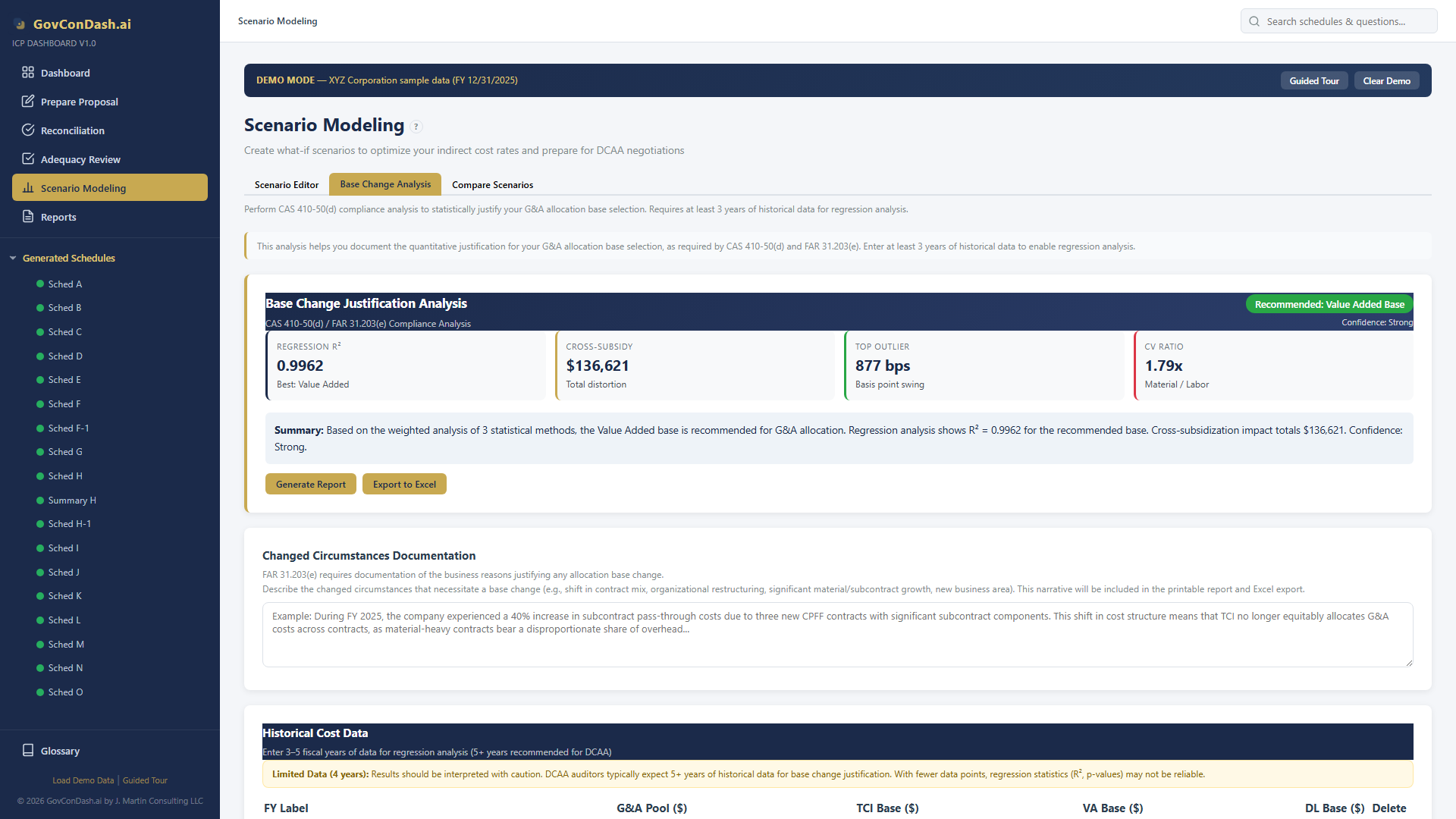
Four statistical methods support CAS 410-50(d) allocation base changes: OLS regression, rate impact analysis, sensitivity analysis, and an aggregated recommendation with confidence scoring.
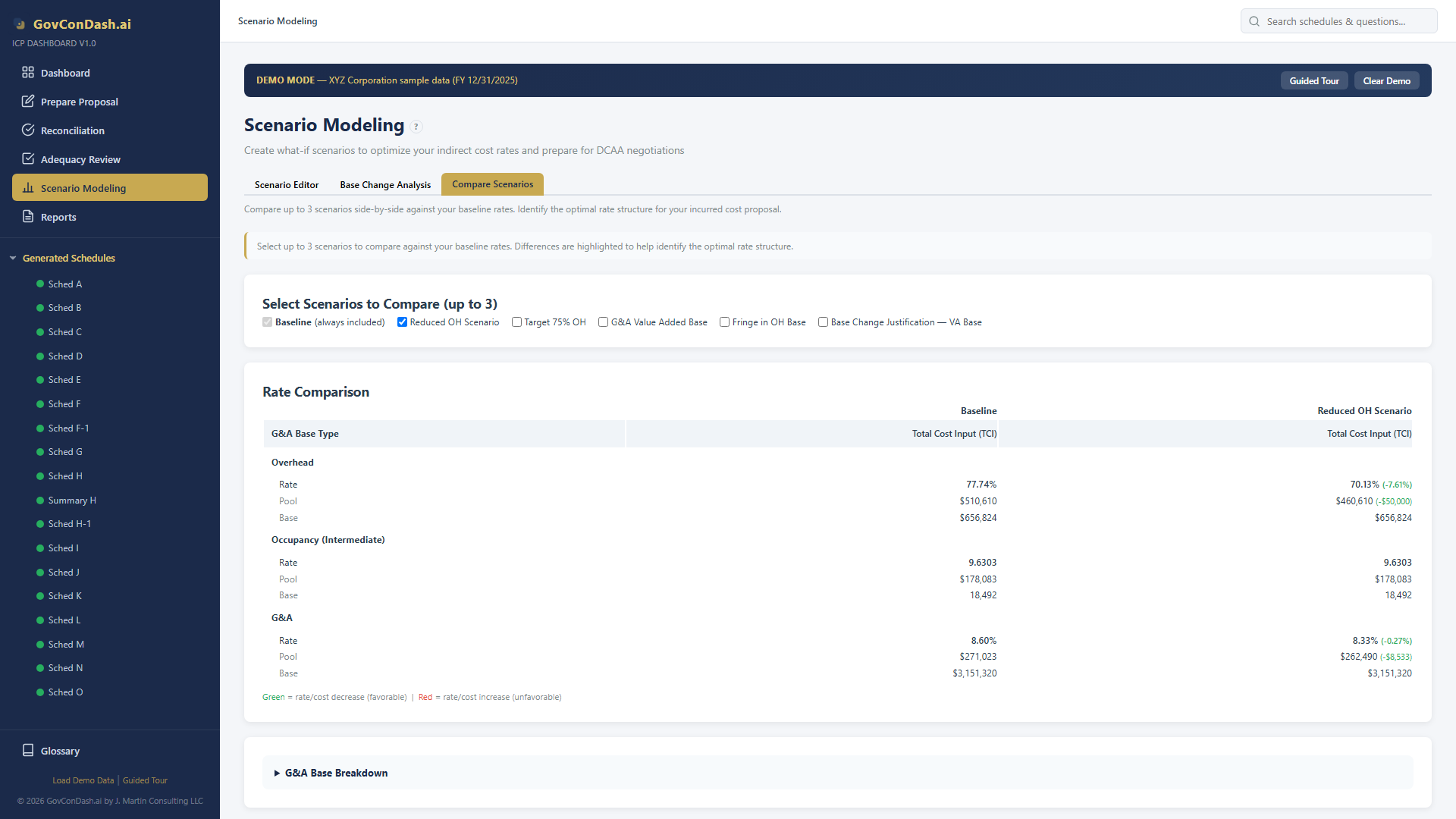
Compare up to 3 scenarios against your baseline side-by-side with delta highlighting, G&A base breakdowns, and contract-level impact previews — all on one screen.
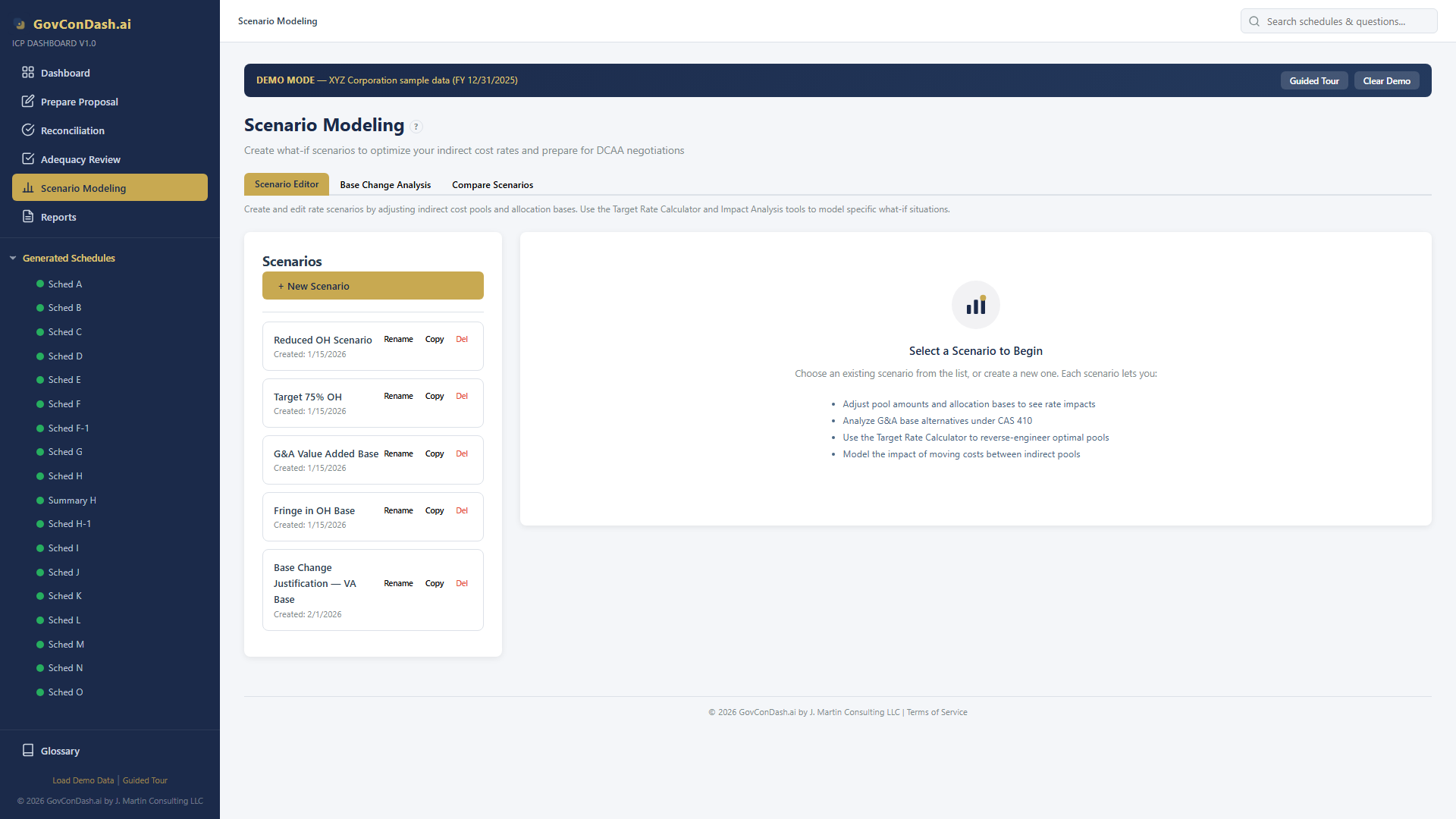
Every scenario starts by cloning the current rates and pools from your generated Schedule A. Name each scenario, track its creation date, and switch between them instantly. The dashboard maintains both the original baseline and your modified computed state, so you always know what changed.
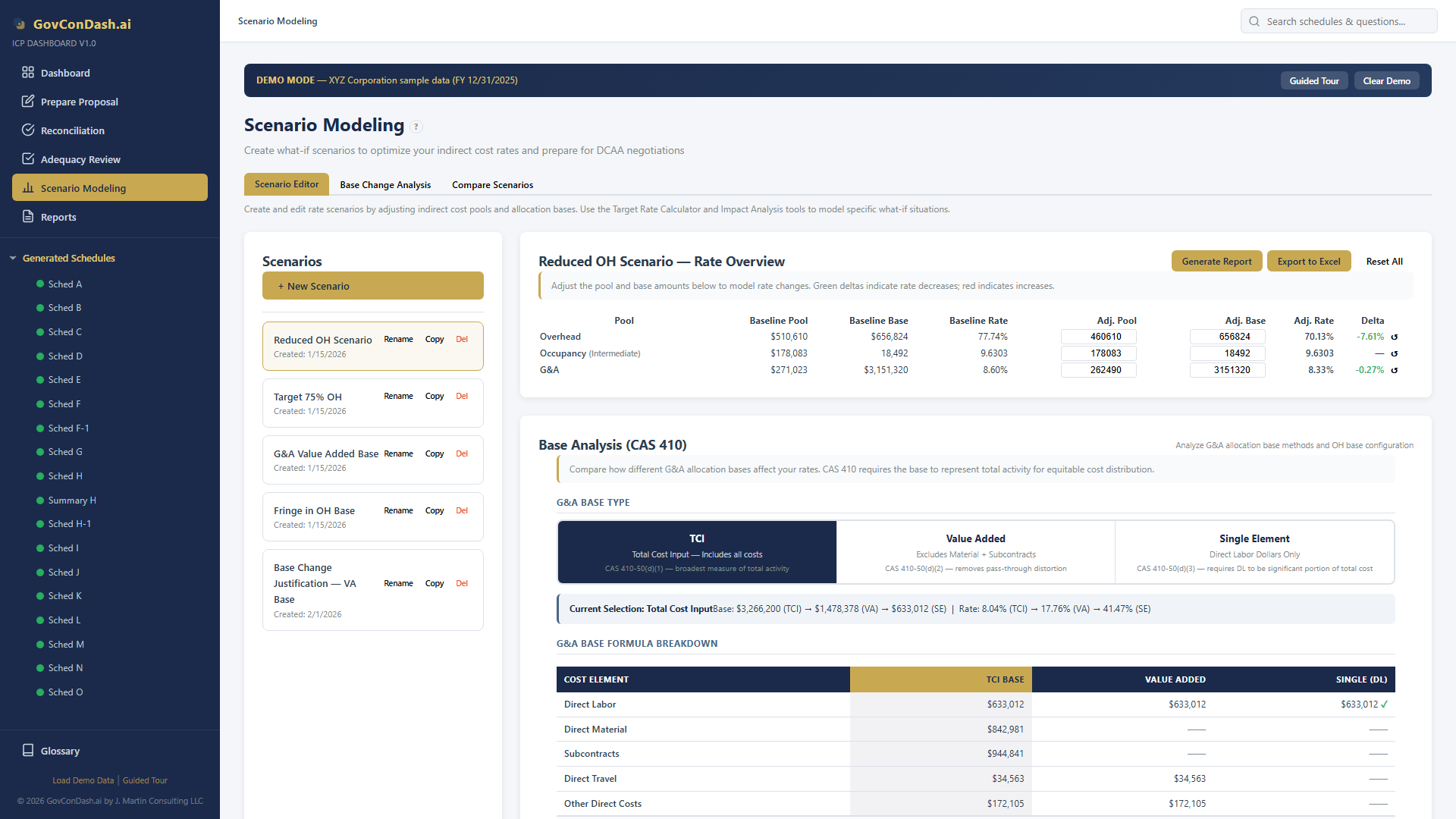
The scenario editor presents an interactive rate table where you can directly modify pool amounts, base amounts, and rate configurations. Changes recalculate instantly, showing you the new rates alongside the baseline for immediate comparison.
The Base Analysis card provides a comprehensive comparison of Total Cost Input, Value Added, and Single Element allocation methods. Each method computes the G&A base differently, directly affecting your G&A rate and how costs are distributed across contracts.
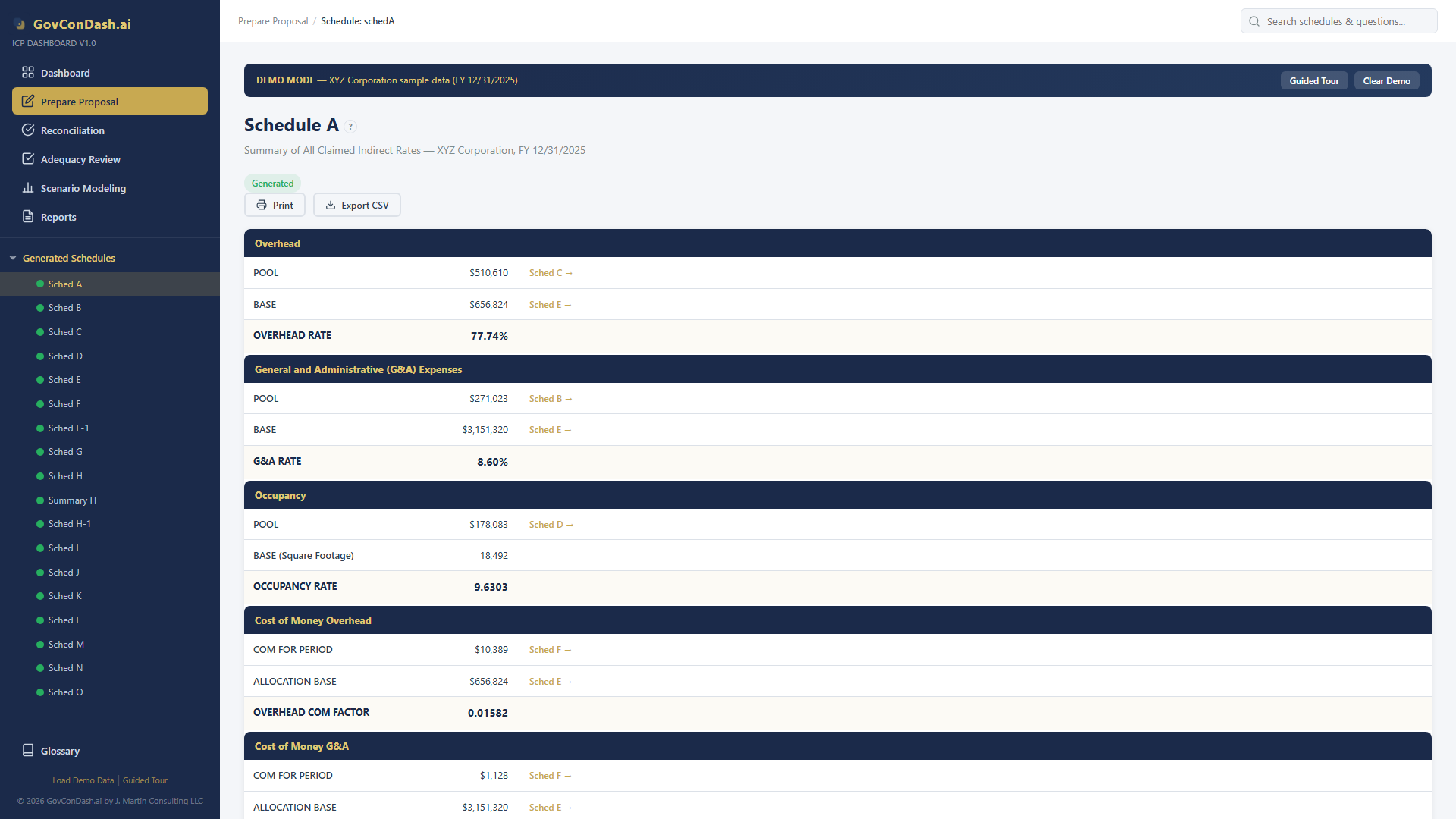
Every scenario begins with rates generated from your actual proposal data — Schedule A serves as the source of truth. The rate summary shows OH, G&A, intermediate, and COM rates that become the baseline for all what-if modeling.
Set your desired rate — for example, 75% overhead — and the calculator reverse-solves for the exact pool or base amount needed to achieve it. No more trial and error with spreadsheet formulas.
Simulate moving a dollar amount from one pool to another and instantly see the cascading effects across all rates. The analysis respects your G&A base type, so TCI and Value Added scenarios produce different downstream impacts.
The Base Change Analysis tab runs four independent analyses across your historical fiscal year data. Each method examines the relationship between G&A costs and each allocation base type, producing quantitative evidence for your recommended base.
Visualize the statistical relationship between your G&A pool and each allocation base across multiple fiscal years. The scatter plots include OLS trend lines, confidence bands, outlier detection, and R² annotations to make the analysis accessible and audit-ready.
The comparison view displays your baseline rates alongside up to 3 selected scenarios in a structured table. Every pool, rate, and base amount is shown with delta values highlighted in color, making it easy to see which scenario produces the most favorable rate structure.
Move $50,000 from the OH pool to G&A. See the OH rate drop from 77.74% while the G&A rate increases to absorb the reclassified costs. Understand the tradeoff between pool rates before making the adjustment in your actual proposal.
Your current OH rate is 77.74%. Use the Target Rate Calculator to find the exact pool adjustment needed to bring it down to 75%. The tool computes that you need to reduce the OH pool by a specific dollar amount or increase the OH base accordingly.
Switch the G&A allocation base from TCI to Value Added per CAS 410. By excluding material and subcontract costs from the base, the G&A rate increases (from 8.60% under TCI) but applies to a smaller base, reducing distortion for material-heavy contracts.
Run OLS regression analysis across 4 fiscal years of historical data. Value Added shows R² greater than 0.92 — the strongest statistical fit among all three base types. TCI shows lower R² (~0.70-0.80), supporting the case for a base change to Value Added.
Stop guessing how cost reclassifications and base changes will affect your proposal. Build scenarios, run the numbers, compare results, and submit with confidence — all from your browser.
GovConDash.ai