ICP Dashboard
Feature Overview

Browser-Based Incurred Cost Proposal Preparation Tool
15+
ICE Schedules
47
Adequacy Checks
7
Step Wizard
21
FAR 31.205 Rules
01 — Overview
Key Features at a Glance
The ICP Dashboard automates the full incurred cost proposal lifecycle — from data entry through schedule generation, validation, and DCAA adequacy review.

Automatic Schedule Generation

Enter your data once and the dashboard computes all ICE schedules (A through O) automatically via an 18-step computation pipeline.

DCAA Adequacy Review

Complete 47-question DCAA Adequacy Checklist (v3.4) integrated with progress tracking, auto-population, and exportable reports.

Smart Validation Engine

Automated detection of FAR 31.205 unallowable costs, math consistency checks, completeness audits, and negative balance flagging.

Scenario Modeling

What-if rate analysis with CAS 410 base selection (TCI, Value Added, Single Element), target rate calculators, and side-by-side comparison.

Excel Import / Export

Full ICE Model auto-import from .xlsm files and multi-sheet Excel export with number formatting and cross-sheet formula references.

Cross-Schedule Reconciliation

Real-time validation across all schedules with reconciliation checks that mirror DCAA audit procedures.
02 — Workflow
7-Step Data Entry Wizard
A guided wizard follows the natural data dependency order. Configure your accounting structure, enter data, and generate all schedules with a single click.
1
Setup
Company info, pools, general questions
2
Chart of Accounts
Account structure & pool assignments
3
General Ledger
Account balances & transactions
4
Job Cost Ledger
Costs by contract & element
5
Contracts
Contract type, agency, amounts
6
IRS 941
Quarterly wages for reconciliation
7
Certification
FAR 52.242-4 officer sign-off
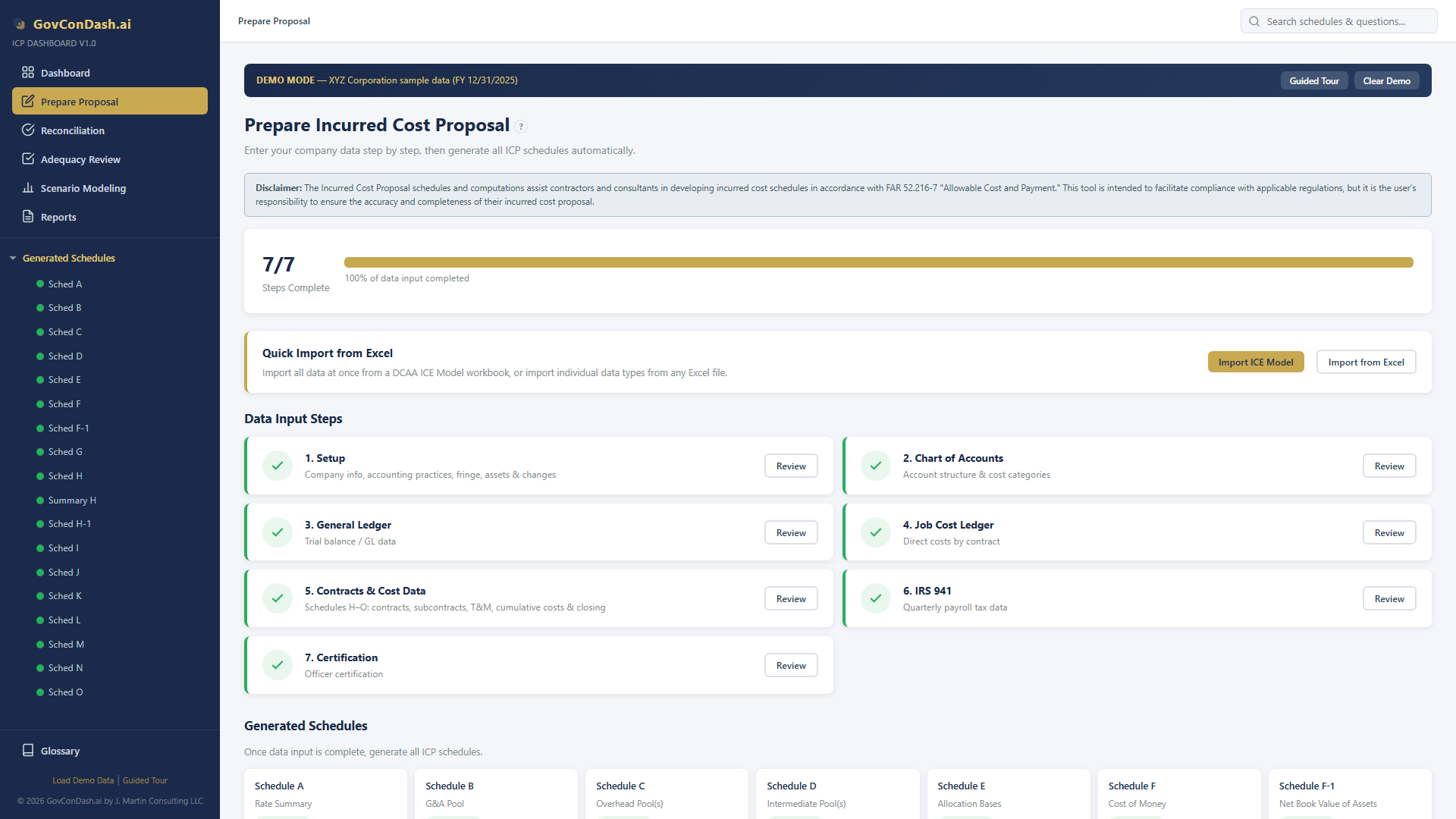
Prepare Proposal wizard
Prepare Proposal page with progress stepper
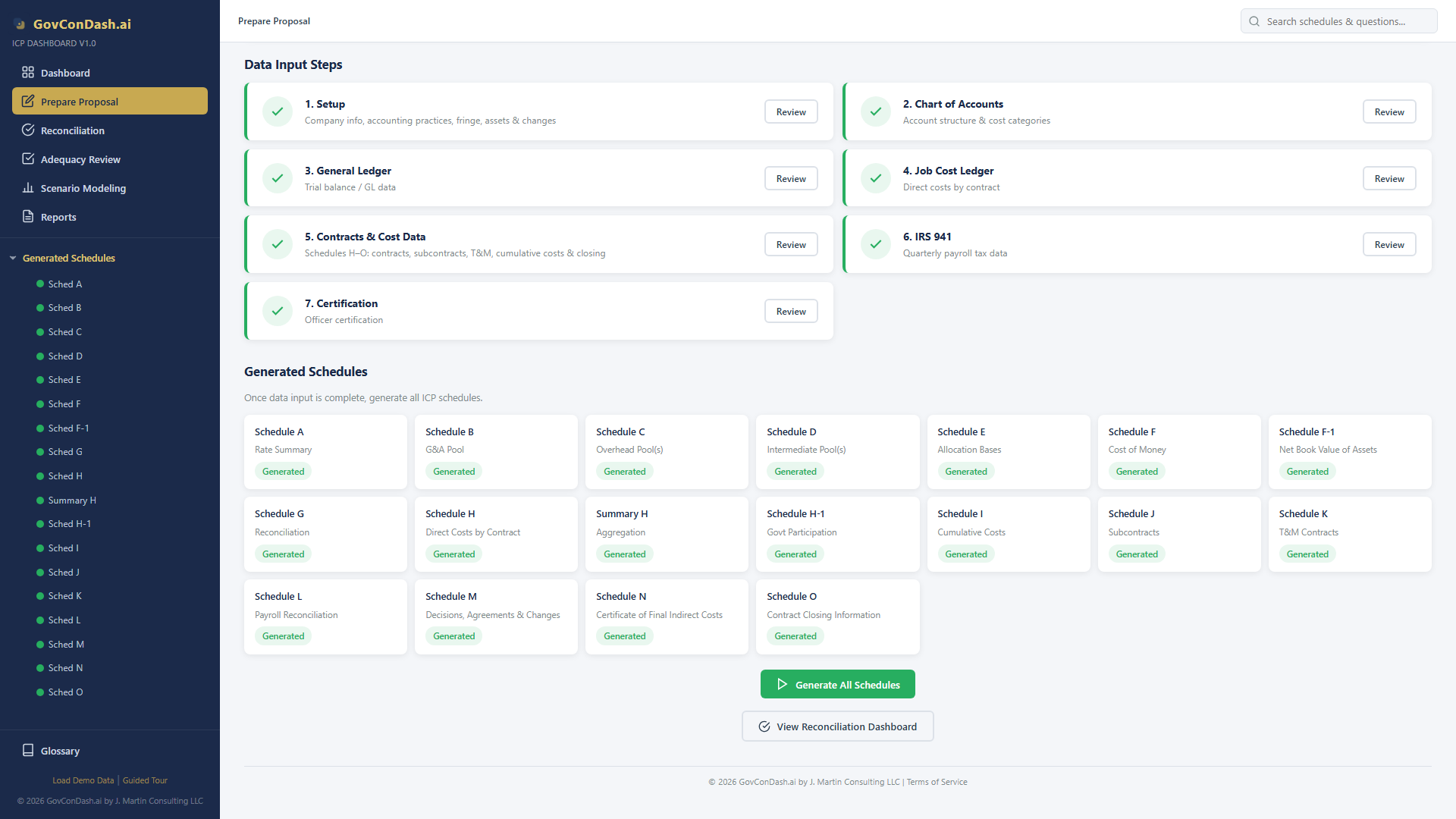
Generated schedules grid
Generated schedule status cards after computation
03 — Schedules
Complete ICE Schedule Generation
All 15+ ICE schedules are computed automatically with precise formula rules — 4 decimal places for rates, 5 for COM factors, whole dollars for amounts.
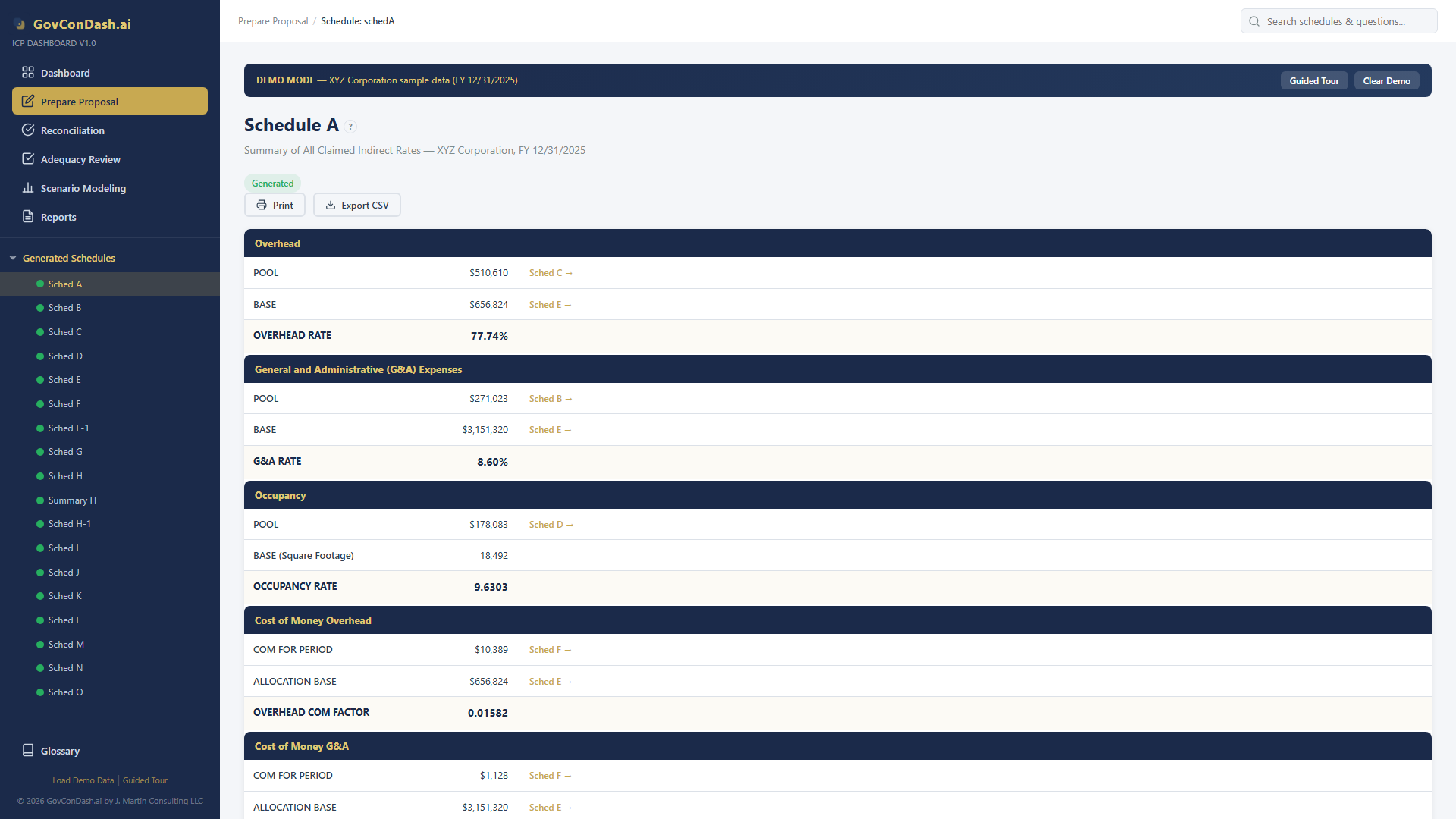
Schedule A
Schedule A — Rate Summary
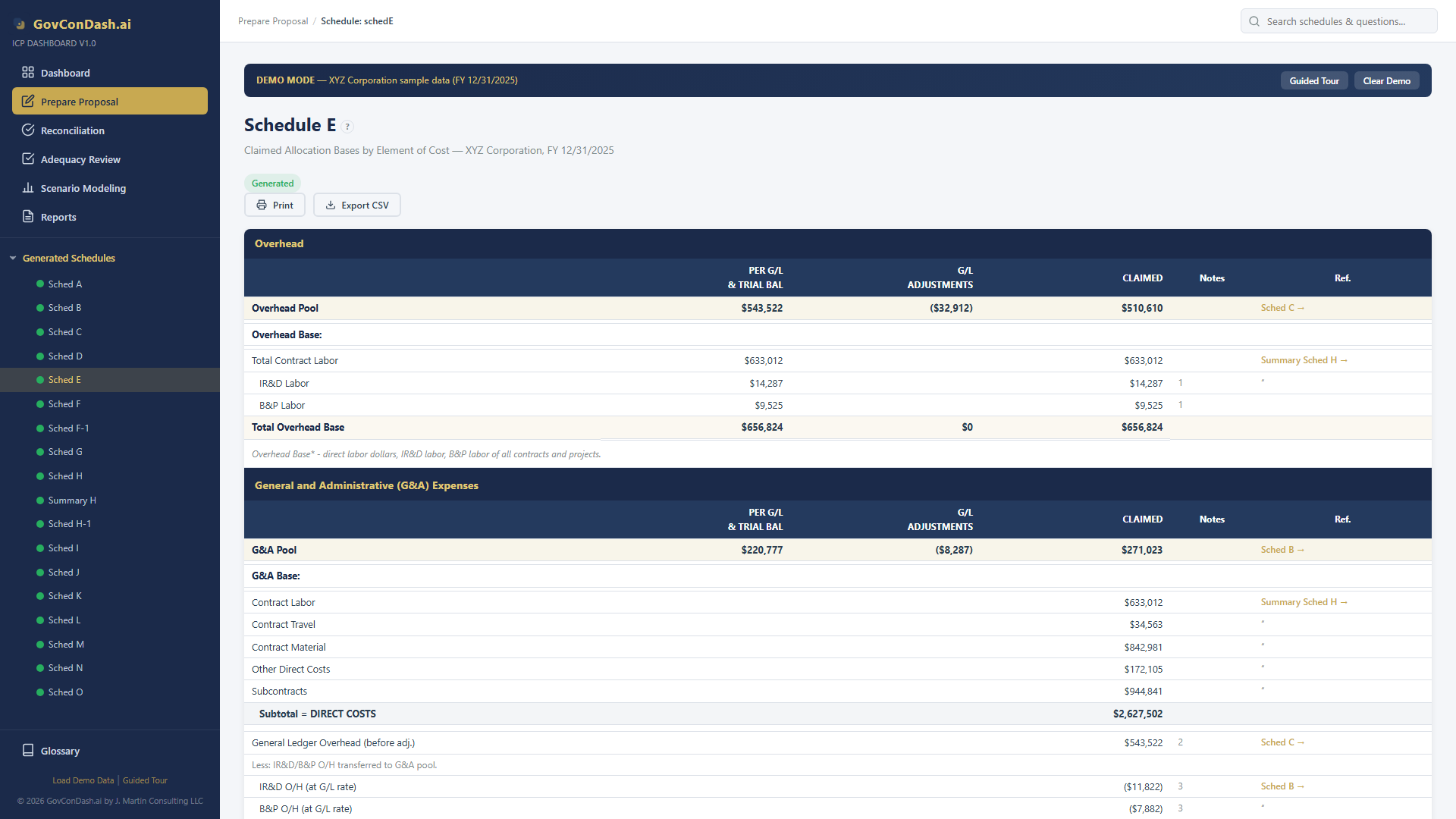
Schedule E
Schedule E — Allocation Bases
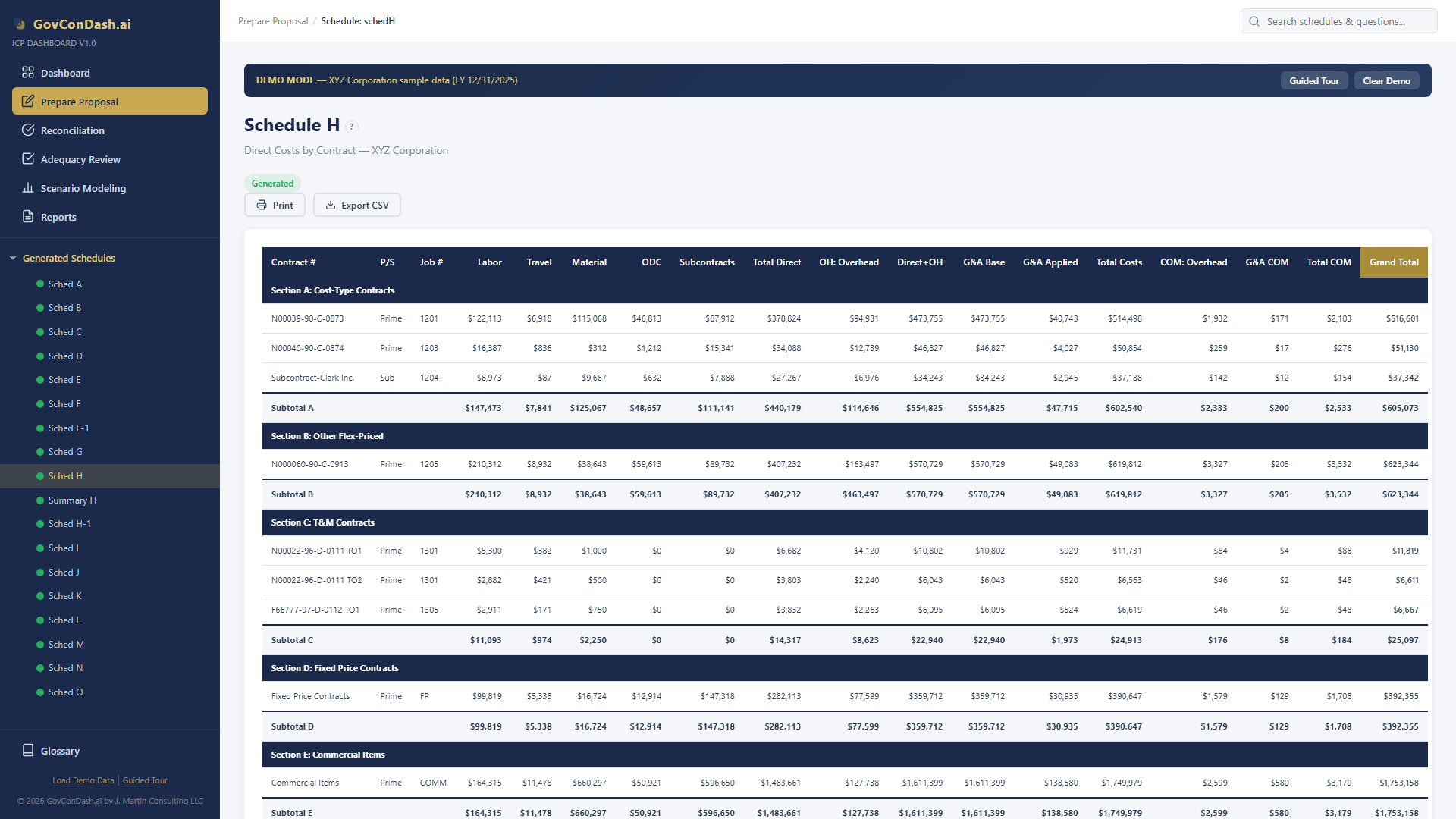
Schedule H
Schedule H — Direct Costs by Contract
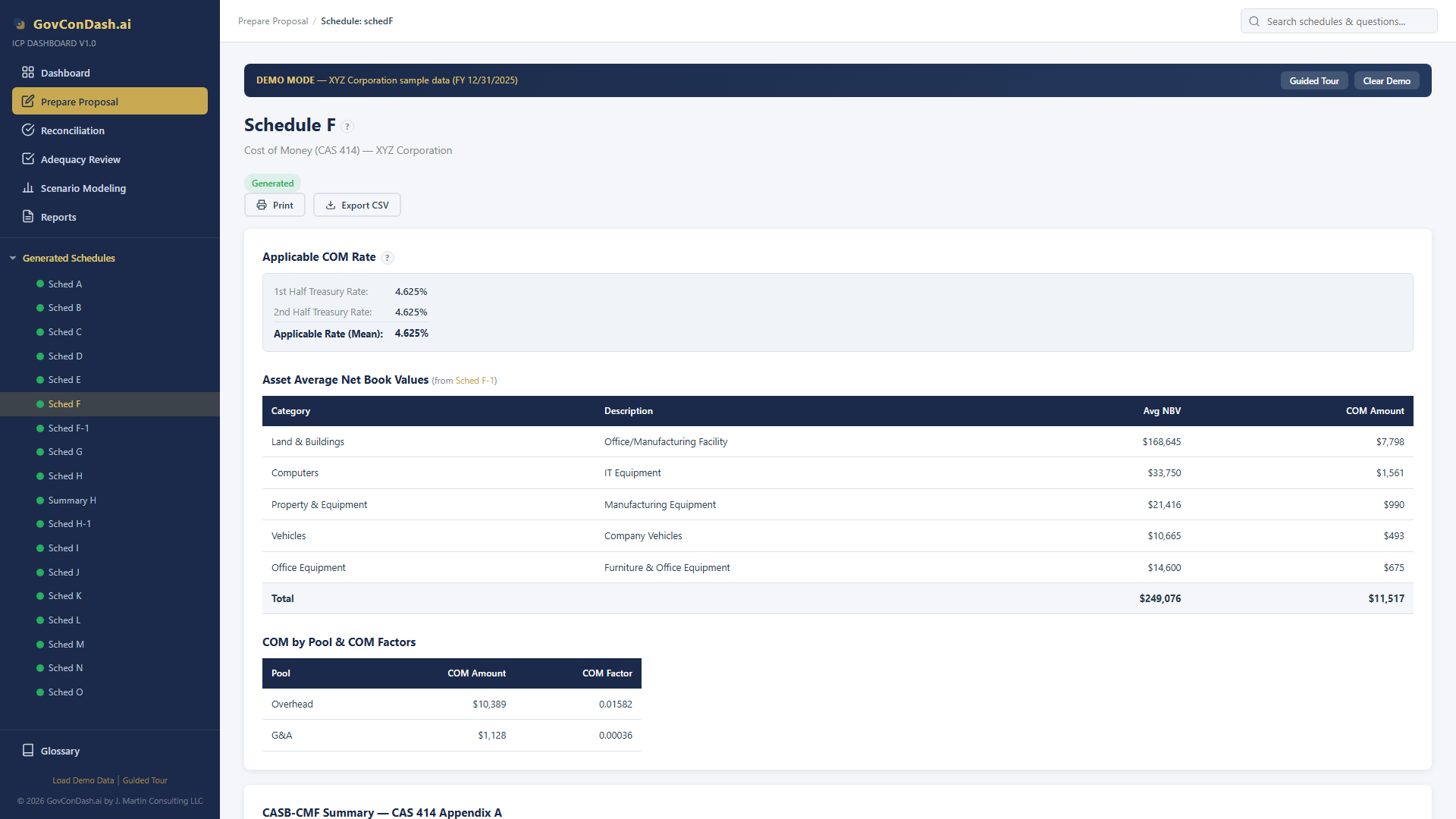
Schedule F
Schedule F — Cost of Money
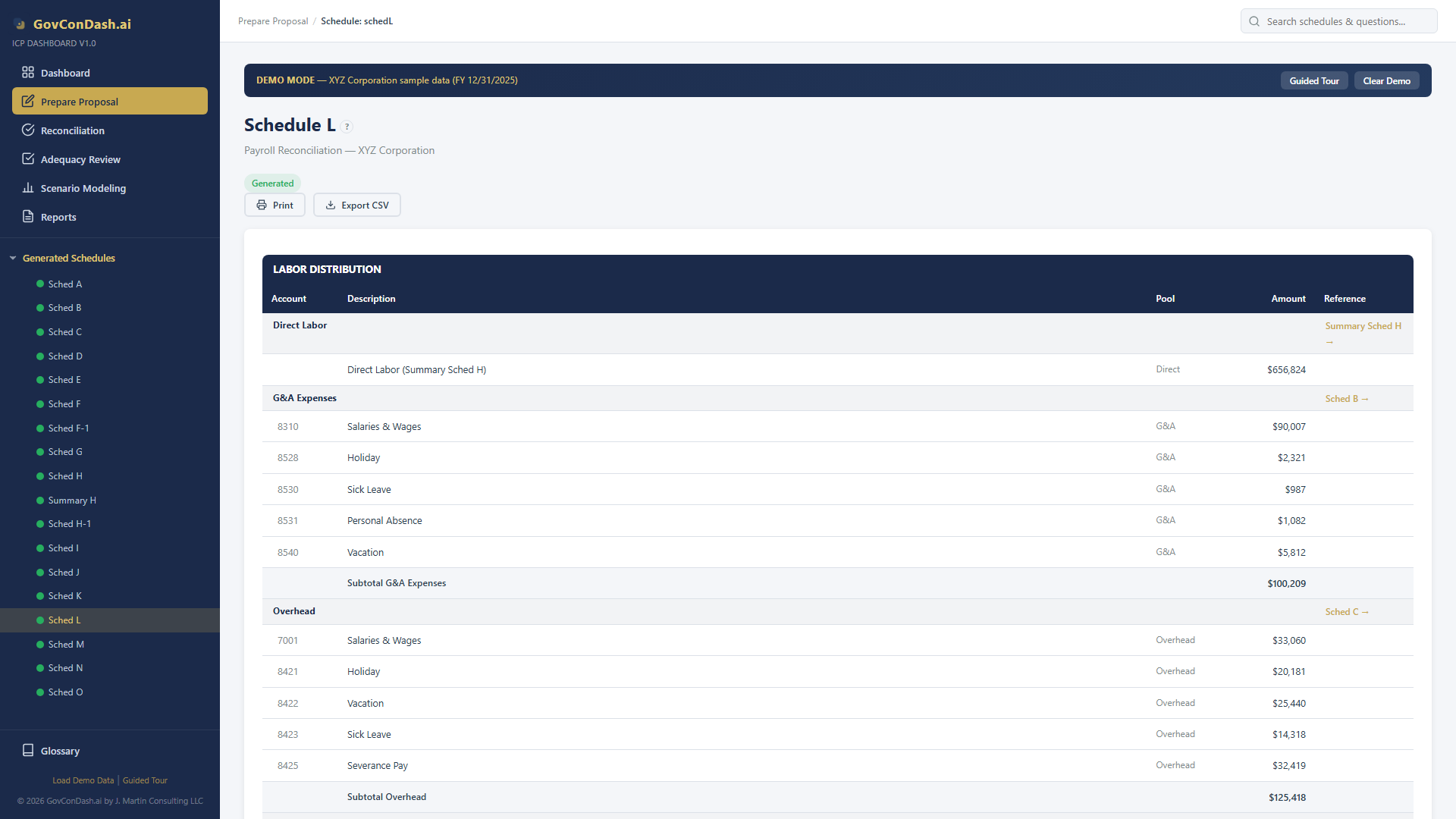
Schedule L
Schedule L — Payroll Reconciliation
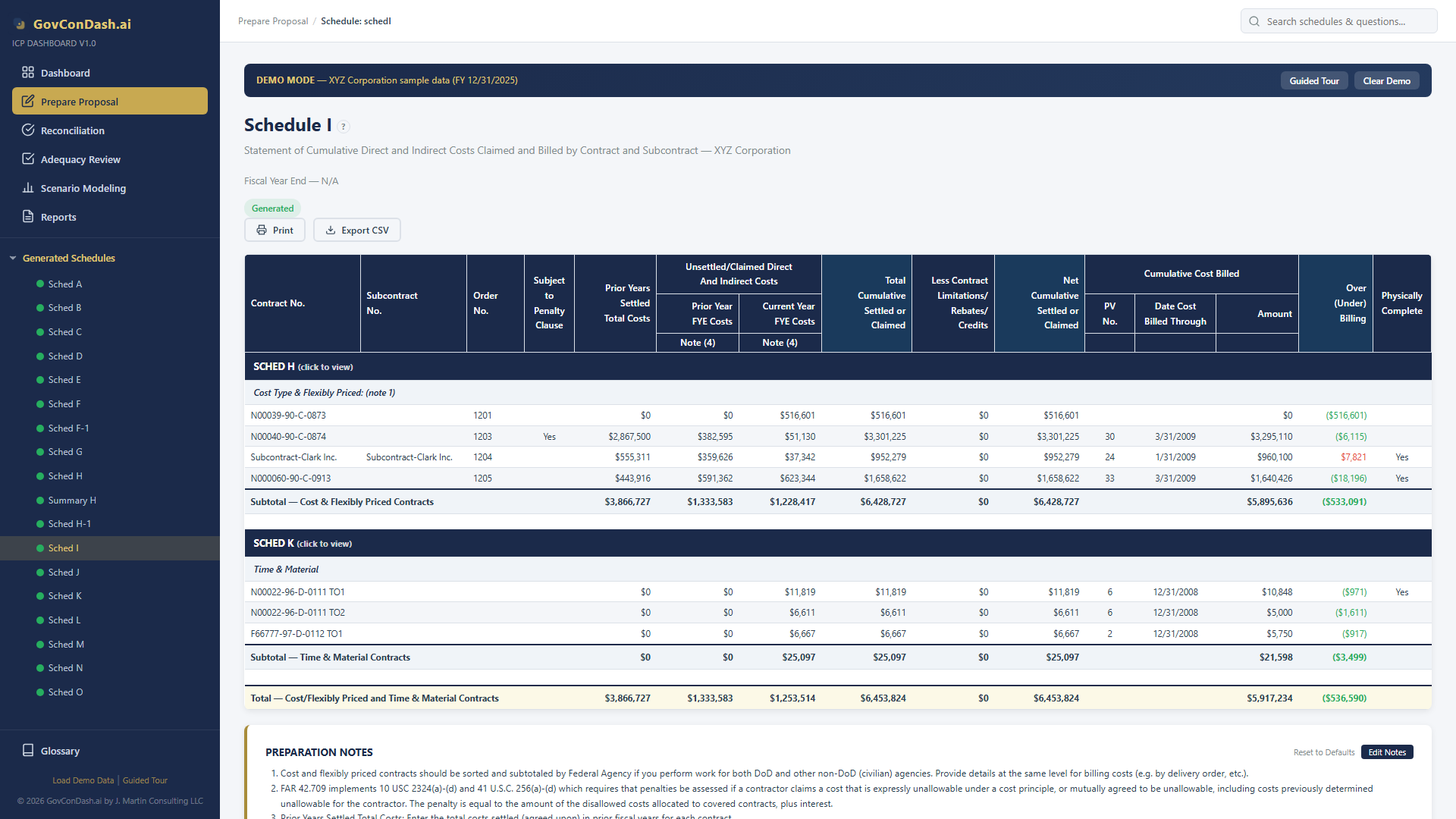
Schedule I
Schedule I — Cumulative Costs Claimed and Billed
04 — Validation
Smart Validation & Adequacy Review

Automated Compliance Checks

Four validation engines work together to ensure your proposal is complete and accurate before submission to DCAA.
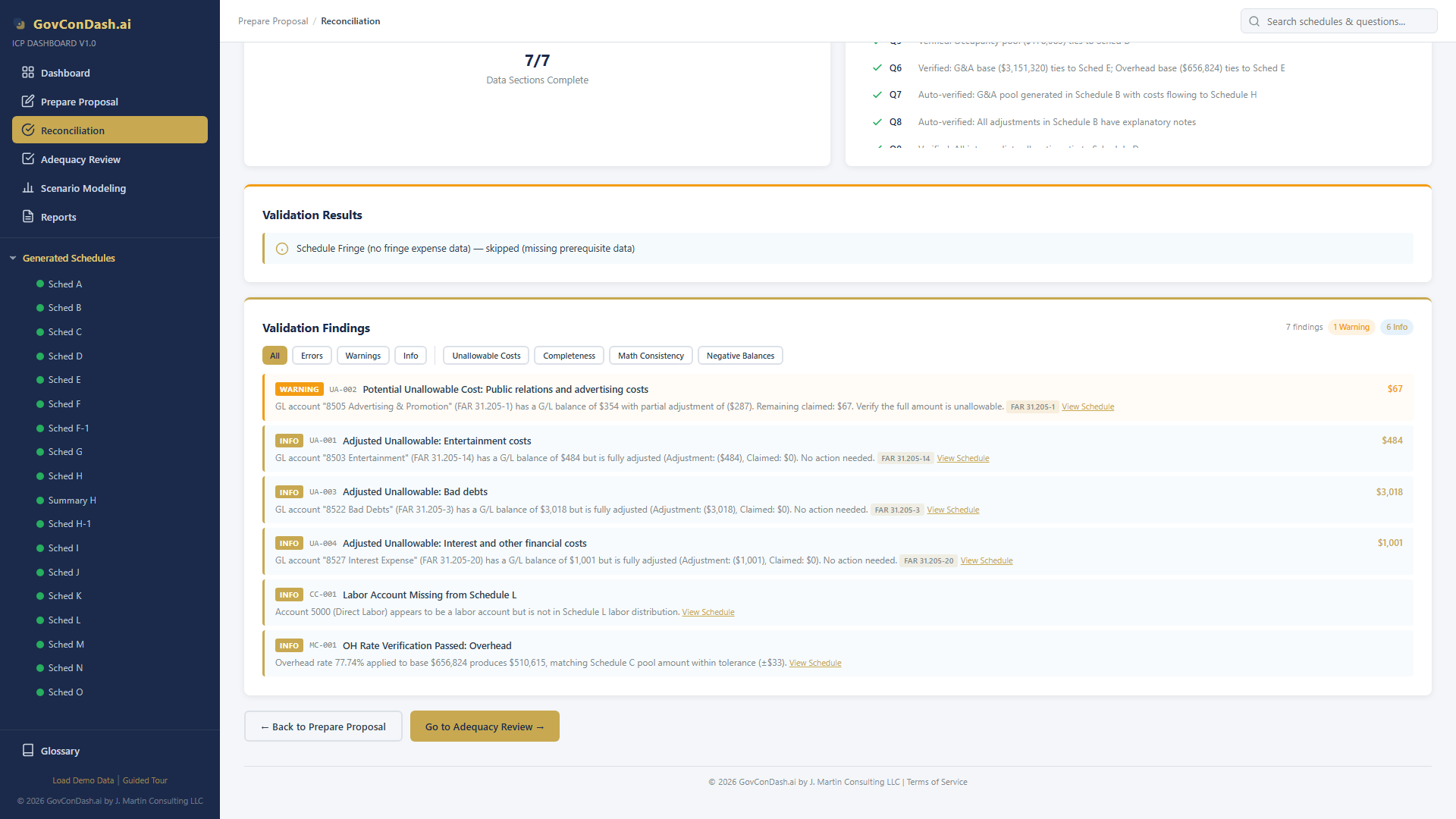
  • Unallowable Cost Detection — Scans accounts against 21 FAR 31.205 keyword categories with adjustment awareness
  • Math Consistency — Verifies pool × base = rate across Schedules A, C, and E within $1 tolerance
  • Completeness Audit — Flags unmapped GL accounts, orphaned contracts, and missing labor accounts
  • Negative Balance Detection — Identifies expense accounts with negative net GL balances
Smart Validation findings
Smart Validation findings with severity filtering

47-Question DCAA Adequacy Checklist

The complete DCAA Adequacy Checklist (v3.4) with per-item assessment tracking, risk scoring, and automatic data population.
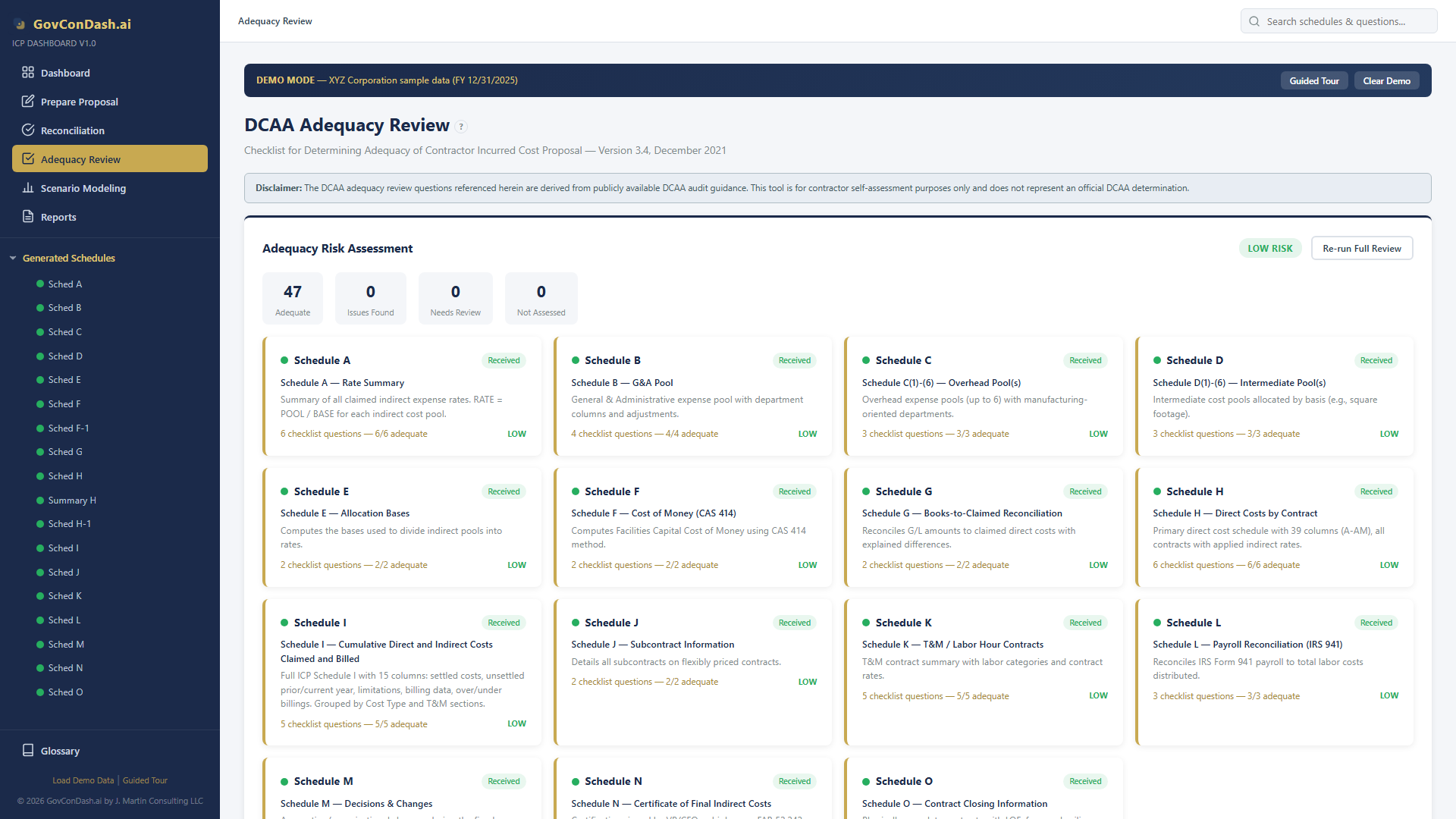
  • Progress Tracking — Visual progress bars and status dots for each schedule group
  • Auto-Population — Reconciliation data pre-fills checklist assessments
  • Risk Assessment — Items scored by risk level with dashboard-wide risk summary
  • Exportable Report — One-click Excel export of all 47 assessments with comments
Adequacy Review
DCAA Adequacy Review with risk assessment dashboard
05 — Analysis
Scenario Modeling & What-If Analysis

Rate Optimization Tools

Create unlimited scenarios to model cost movements between pools, compare allocation bases, and justify base changes per CAS 410-50(d).
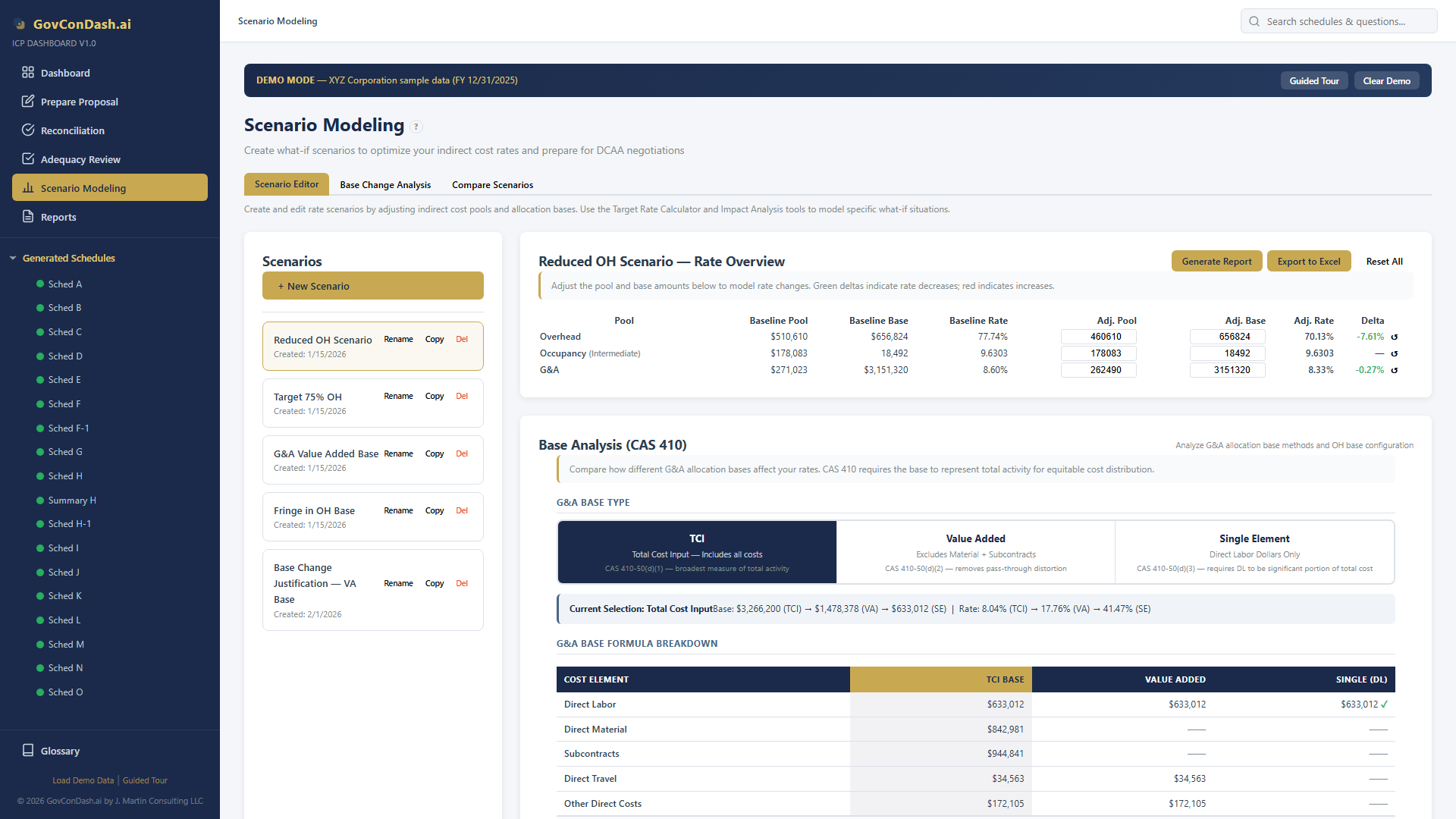
  • Base Analysis — Compare TCI, Value Added, and Single Element bases with CAS 410 compliance indicators
  • Target Rate Calculator — Reverse-solve for pool or base amount to achieve a specific rate
  • Impact Analysis — Model moving costs between pools with cascading G&A base effects
  • Scenario Comparison — Compare up to 3 scenarios against baseline with delta highlighting
Scenario Editor
Scenario editor with editable rate table and pool adjustments

Base Change Justification

Full CAS 410-50(d) / FAR 31.203(e) compliance analysis with four statistical methods to support allocation base changes.
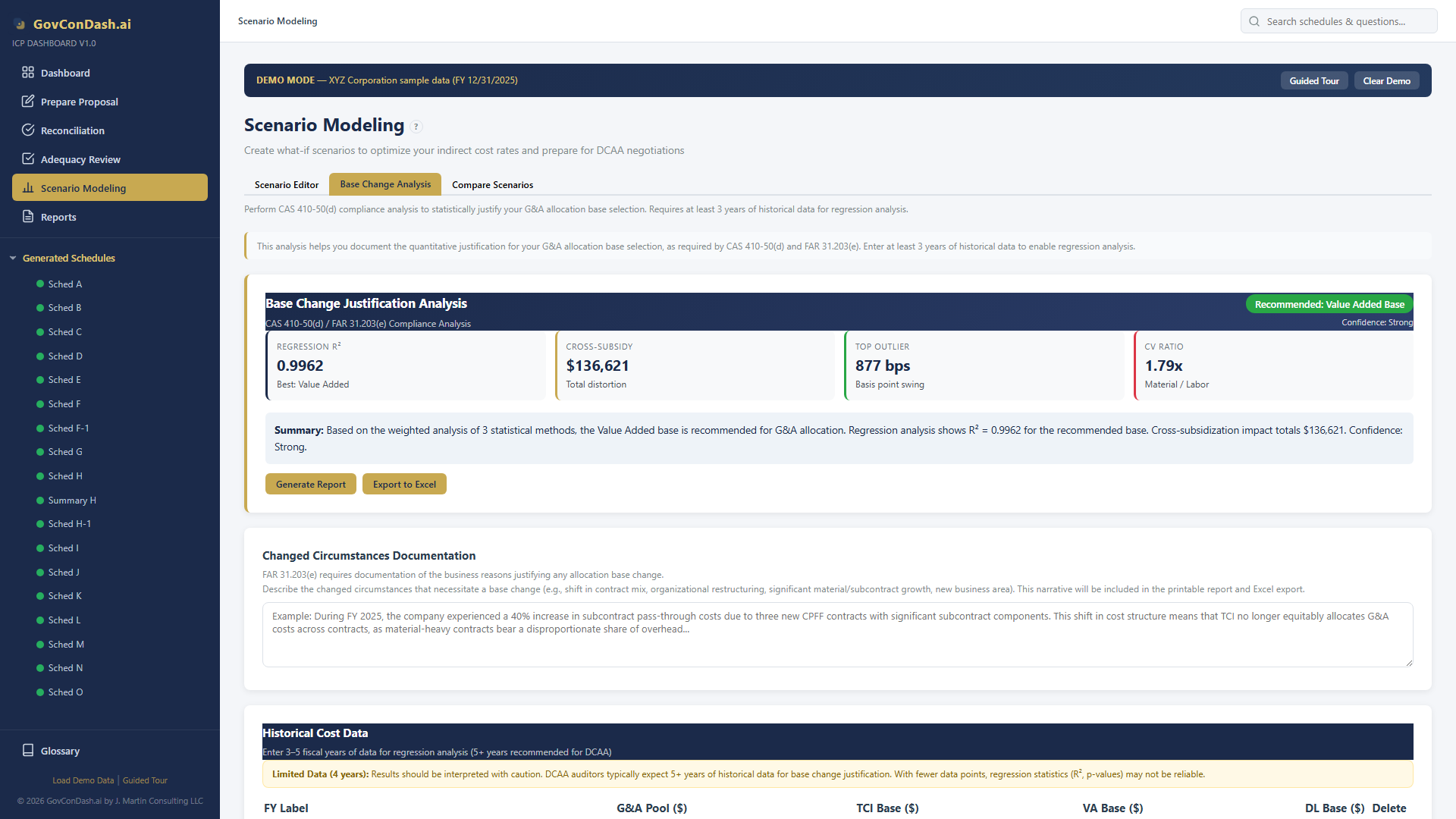
  • Multi-Year OLS Regression — R², p-values, confidence intervals across TCI/VA/DL bases
  • Scatter Plot Visualization — Trend lines, outlier detection, and confidence bands
  • Rate Impact Analysis — Per-contract G&A allocation under each base type
  • Exportable Reports — Printable analysis and 6-sheet Excel workbook
Regression Analysis
Multi-year regression scatter plots for base change justification
06 — Import / Export
Excel Integration & Reconciliation

Flexible Import Options

Two import paths cover every scenario — from existing ICE Model files to custom Excel exports from your accounting system.
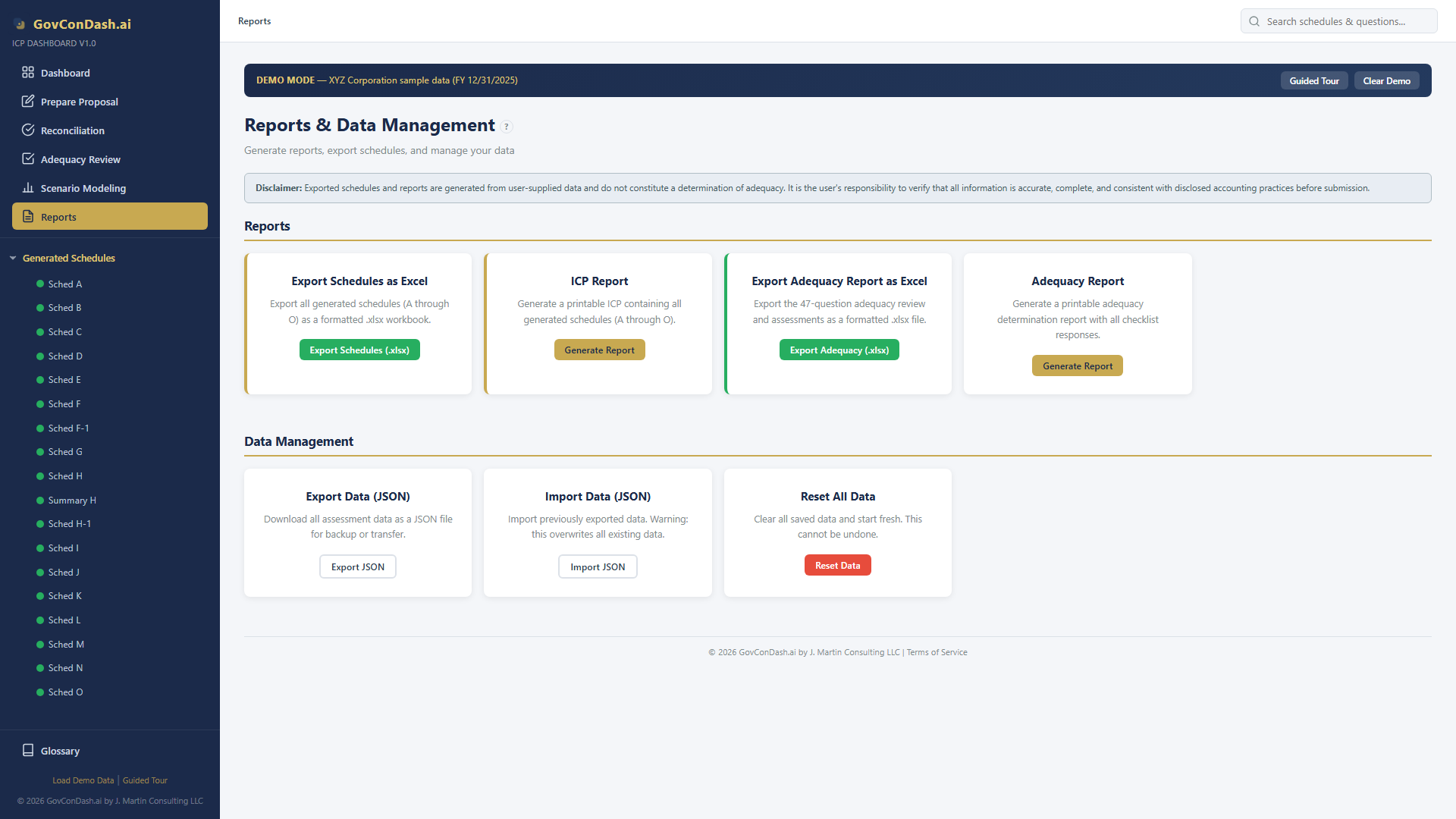
  • ICE Model Auto-Import — Parses Setup, Schedule B, C, D, H (39 columns), and L data automatically
  • Generic Import Wizard — 5-step wizard with column detection, fuzzy matching, and merge strategy
  • Multi-Sheet Export — All schedules exported with formatting, cross-sheet formulas, and named ranges
  • Adequacy Report Export — All 47 checklist items with assessments and comments in one Excel file
Reports page
Reports page with import and export options

Cross-Schedule Reconciliation

Real-time reconciliation checks mirror DCAA audit procedures, ensuring all schedules are internally consistent.
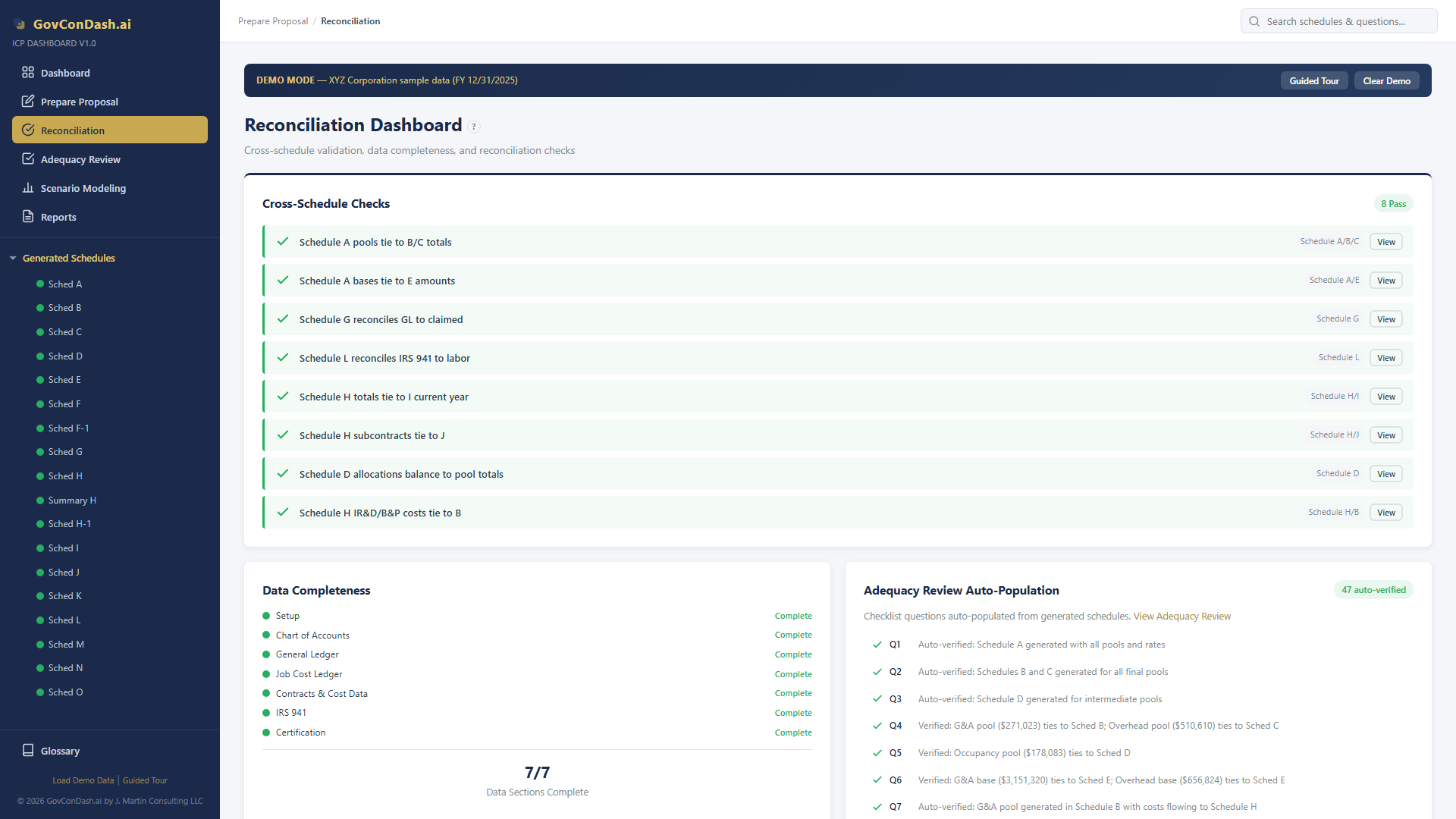
  • Schedule G Reconciliation — Total cost reconciliation across all cost pools and bases
  • Labor / IRS 941 Match — Schedule L payroll reconciliation with quarterly wage verification
  • Data Completeness — Identifies gaps in account mapping, GL coverage, and contract linkage
  • Adequacy Auto-Population — Validation results feed directly into checklist assessments
Reconciliation
Reconciliation page with cross-schedule validation checks
07 — Experience
Dashboard & Demo Environment

Intuitive Navigation

The sidebar provides instant access to every schedule, checklist item, and tool. The home page shows key rate metrics and proposal status at a glance.
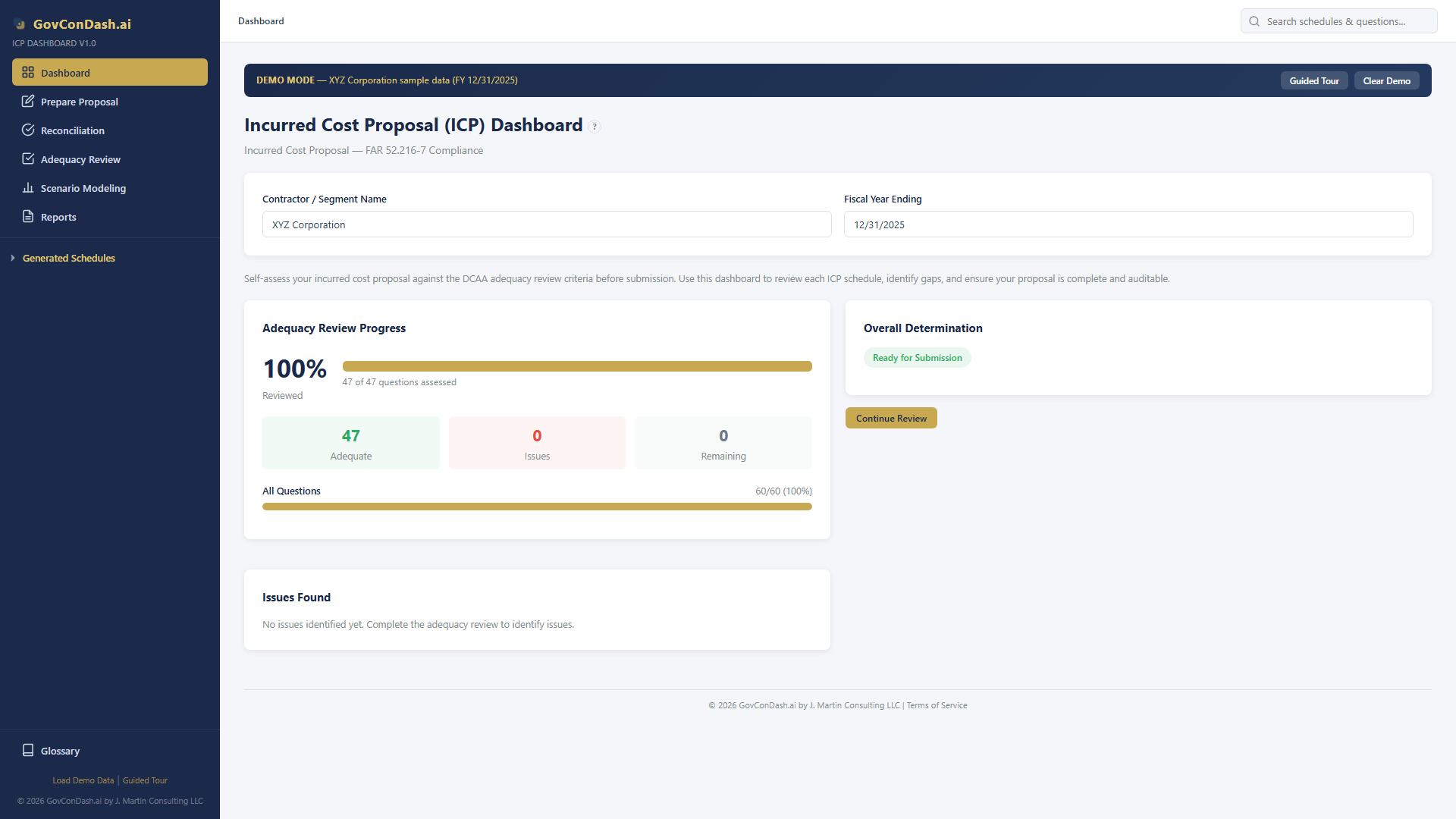
  • Collapsible Schedule Tree — Generated schedules and adequacy items organized by group
  • Breadcrumb Navigation — Browser back/forward support with clear location context
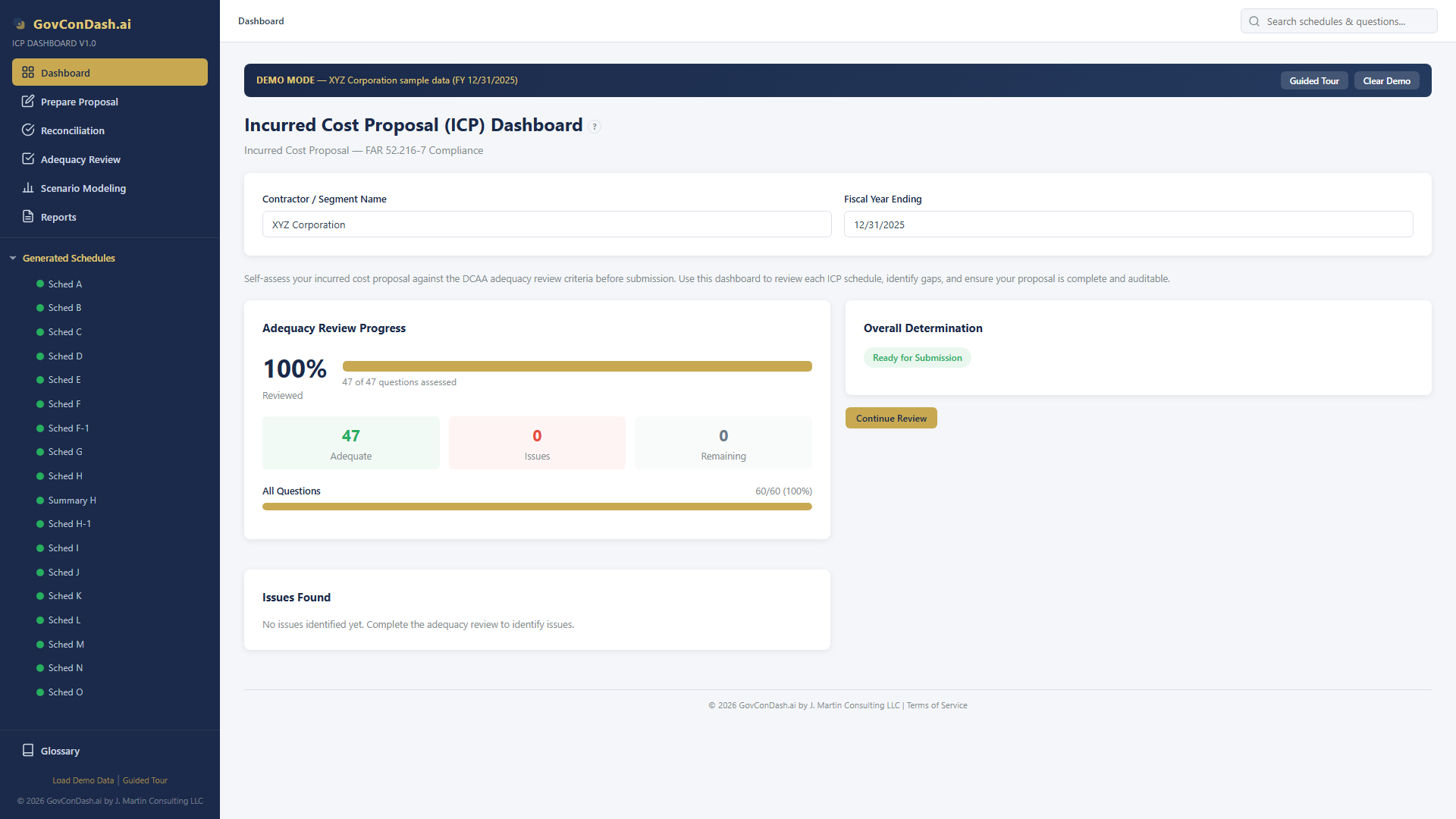
  • KPI Dashboard — Rate summary cards, adequacy progress, and validation status
  • FAR/CAS Glossary — Built-in reference for key regulatory terms
Dashboard overview
Dashboard home page with XYZ Corporation demo data

Built-In Demo Data

The XYZ Corporation demo (FY 12/31/2025) provides a complete, hands-on learning environment with realistic data.
  • 59 Chart of Accounts entries across Direct, OH, G&A, and Intermediate pools
  • 151 GL Entries with 8 contracts (CPFF, T&M, FFP, Commercial)
  • All Schedules Pre-Generated — OH 77.74%, G&A 8.60%, with COM factors
  • 5 Pre-Built Scenarios including base change justification with regression
  • 47 Adequacy Assessments completed with detailed comments
Dashboard KPIs
Dashboard KPI cards showing rate summary and proposal status

Ready to Simplify Your ICP?

Stop wrestling with complex spreadsheets. The ICP Dashboard gives your finance team the tools to prepare FAR-compliant incurred cost proposals with confidence.

GovConDash.ai